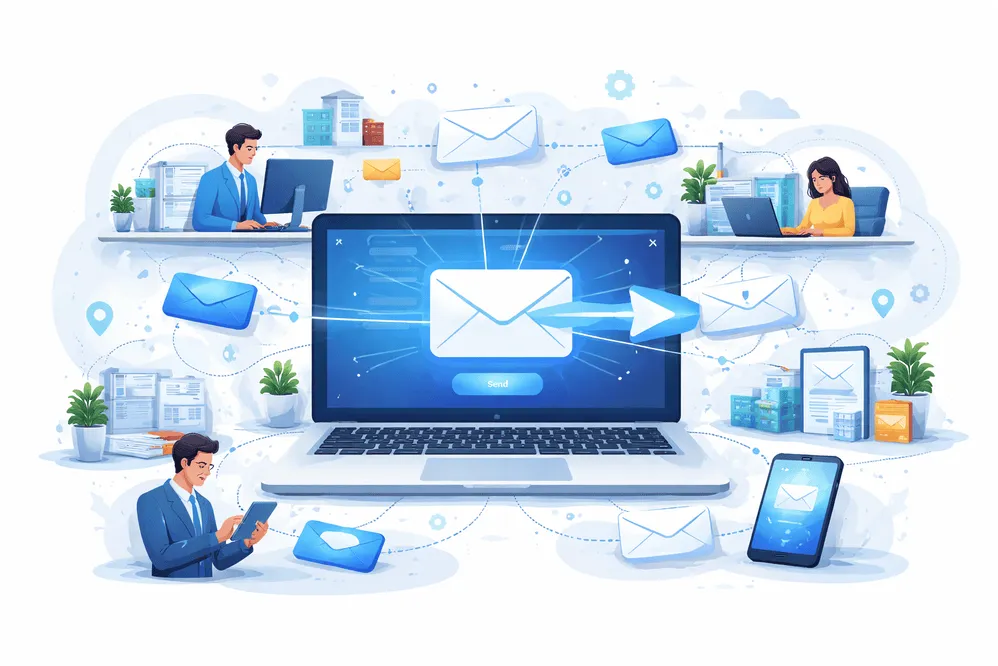
व्यवसाय के लिए ईमेल अग्रेषण: टीम संचार को कुशलतापूर्वक व्यवस्थित करें
व्यावसायिक ईमेल प्रबंधित करना शीघ्र ही भारी पड़ सकता है। ग्राहक पूछताछ और समर्थन टिकट से लेकर आंतरिक अपडेट और विक्रेता संचार तक, ईमेल अक्सर टीमों के जवाब देने की तुलना में तेजी से जमा होते हैं। महत्वपूर्ण संदेश दब जाते हैं, जिम्मेदारियाँ अस्पष्ट हो जाती हैं और उत्पादकता प्रभावित होती है।
यहीं पर व्यवसाय के लिए ईमेल अग्रेषण एक शक्तिशाली समाधान बन जाता है। यदि आप नए हैं, तो ईमेल फ़ॉरवर्डिंग कैसे काम करती है और ईमेल फ़ॉरवर्डर क्या है को समझना आपको एक मजबूत आधार दे सकता है।
ईमेल को स्वचालित रूप से सही लोगों या टीमों तक पहुंचाकर, व्यवसाय संचार को सुव्यवस्थित कर सकते हैं, भ्रम को कम कर सकते हैं और यह सुनिश्चित कर सकते हैं कि कोई भी संदेश अनुत्तरित न रहे। चाहे आप एक स्टार्टअप चला रहे हों या एक बड़ी टीम का प्रबंधन कर रहे हों, ईमेल अग्रेषण आपको संगठित, उत्तरदायी और पेशेवर बने रहने में मदद करता है।
ईमेल अग्रेषण को समझना: यह क्या है और यह कैसे काम करता है
ईमेल अग्रेषण आने वाली ईमेल को एक पते से दूसरे पते पर स्वचालित रूप से पुनर्निर्देशित करने की प्रक्रिया है। संदेशों को मैन्युअल रूप से साझा करने के बजाय, अग्रेषित नियम यह सुनिश्चित करते हैं कि ईमेल तुरंत सही प्राप्तकर्ताओं तक पहुंचें।
ईमेल अग्रेषण कैसे काम करता है
जब कोई ईमेल किसी विशिष्ट पते पर भेजा जाता है (उदाहरण के लिए, support@yourcompany.com), तो अग्रेषण नियम स्वचालित रूप से उस ईमेल को यहां भेज सकते हैं:
- एक विशिष्ट टीम सदस्य
- एकाधिक प्राप्तकर्ता
- शर्तों के आधार पर अलग-अलग विभाग
अग्रेषण के दो मुख्य प्रकार हैं:
1. मैनुअल अग्रेषण
आप ईमेल प्राप्त करने के बाद स्वयं ही उसे अग्रेषित करते हैं।
2. स्वचालित अग्रेषण
पूर्वनिर्धारित नियमों का उपयोग करके ईमेल तुरंत रूट किए जाते हैं।
यदि आप समाधानों की तुलना कर रहे हैं, तो यह समझने के लिए कि कौन सा समाधान आपकी व्यावसायिक आवश्यकताओं के अनुरूप है, डिस्पोज़ेबल ईमेल बनाम ईमेल फ़ॉरवर्डर देखें।
व्यवसाय के लिए ईमेल अग्रेषण के लाभ
ईमेल अग्रेषण को लागू करने से आपकी टीम संचार को संभालने के तरीके को बदल सकती है। यहाँ प्रमुख लाभ हैं:
1. बेहतर टीम सहयोग
ईमेल अग्रेषण यह सुनिश्चित करता है कि सही टीम के सदस्यों को प्रासंगिक संदेश तुरंत प्राप्त हों। इससे देरी कम हो जाती है और यह भ्रम दूर हो जाता है कि किसे जवाब देना चाहिए।
2. तेज़ प्रतिक्रिया समय
जब ईमेल स्वचालित रूप से रूट हो जाते हैं, तो मैन्युअल सॉर्टिंग की कोई आवश्यकता नहीं होती है। टीमें त्वरित प्रतिक्रिया दे सकती हैं, जिससे ग्राहकों की संतुष्टि और विश्वास में सुधार होगा।
3. केंद्रीकृत संचार
info@, support@, या sales@ जैसे साझा ईमेल पतों का उपयोग संचार को पेशेवर बनाए रखता है जबकि अग्रेषित करने से संदेश आंतरिक रूप से वितरित होते हैं।
4. इनबॉक्स अव्यवस्था को कम करना
हर किसी को हर ईमेल प्राप्त होने के बजाय, प्रासंगिकता के आधार पर संदेशों को फ़िल्टर करके अग्रेषित किया जाता है। इससे इनबॉक्स साफ और केंद्रित रहता है।
5. बेहतर जवाबदेही
स्पष्ट अग्रेषण नियमों के साथ, जिम्मेदारी सौंपना आसान हो जाता है। टीमों को ठीक-ठीक पता होता है कि कौन से ईमेल को कौन संभाल रहा है।
6. बढ़ती टीमों के लिए स्केलेबिलिटी
जैसे-जैसे आपका व्यवसाय बढ़ता है, ईमेल अग्रेषण नियम विकसित हो सकते हैं। आप अपने सार्वजनिक ईमेल पते को बदले बिना नई टीम के सदस्यों, विभागों या वर्कफ़्लो को जोड़ सकते हैं।
7. बढ़ी हुई गोपनीयता और सुरक्षा
प्राथमिक इनबॉक्स को स्पैम और अवांछित जोखिम से बचाने के लिए ईमेल अग्रेषण अस्थायी या उपनाम ईमेल सिस्टम के साथ काम कर सकता है। ईमेल फ़ॉरवर्डिंग सुरक्षित है और स्पैम ईमेल से बचने के तरीकों के बारे में और जानें।
थ्रोइनबॉक्स का उपयोग करके ईमेल अग्रेषण का उपयोग कैसे करें
आपके व्यवसाय के लिए ईमेल अग्रेषण सेट करना जटिल नहीं है। थ्रोइनबॉक्स के साथ, आप लचीले फ़ॉरवर्डिंग सिस्टम बना सकते हैं जो आपके वर्कफ़्लो के अनुकूल होते हैं।
चरण 1: एक व्यावसायिक ईमेल प्रवेश बिंदु बनाएं
एक सामान्य ईमेल पते से प्रारंभ करें जैसे:
यह आपके मुख्य संचार चैनल के रूप में कार्य करता है।
चरण 2: अग्रेषण नियम निर्धारित करें
परिभाषित करें कि ईमेल को कैसे रूट किया जाना चाहिए:
- सभी सहायता ईमेल अपनी ग्राहक सेवा टीम को अग्रेषित करें
- अपने बिक्री प्रतिनिधियों को बिक्री संबंधी पूछताछ भेजें
- एचआर ईमेल को एचआर विभाग तक रूट करें
चरण 3: सशर्त अग्रेषण का उपयोग करें
उन्नत सेटअप आपको इनके आधार पर नियम बनाने की अनुमति देते हैं:
- विषय पंक्तियों में कीवर्ड
- प्रेषक का ईमेल पता
- पूछताछ का प्रकार
यह सुनिश्चित करता है कि ईमेल बिना किसी मानवीय प्रयास के सही व्यक्ति तक पहुंचे।
चरण 4: अस्थायी ईमेल के साथ संयोजन करेंअतिरिक्त गोपनीयता के लिए, बाहरी साइनअप के लिए अस्थायी ईमेल पते का उपयोग करें और महत्वपूर्ण ईमेल को अपने मुख्य व्यवसाय इनबॉक्स में अग्रेषित करें। आप यात्रियों के लिए अस्थायी ईमेल, डेवलपर्स के लिए अस्थायी ईमेल, और OTP के लिए अस्थायी मेल' जैसे उपयोग के मामलों का पता लगा सकते हैं। सत्यापन।
इससे मदद मिलती है:
- स्पैम रोकें
- अपने प्राथमिक ईमेल को सुरक्षित रखें
- स्वच्छ संचार चैनल बनाए रखें
चरण 5: निगरानी करें और अनुकूलन करें
अपने अग्रेषण सेटअप की नियमित रूप से समीक्षा करें:
- क्या ईमेल सही लोगों तक पहुंच रहे हैं?
- क्या प्रतिक्रिया समय में सुधार हो रहा है?
- क्या कोई टीम अतिभारित है?
जैसे-जैसे आपका व्यवसाय विकसित हो, नियमों को समायोजित करें।
व्यवसाय के लिए ईमेल अग्रेषण को अनुकूलित करने की युक्तियाँ
ईमेल अग्रेषण का अधिकतम लाभ उठाने के लिए, इन व्यावहारिक सुझावों का पालन करें:
1. नियम सरल रखें
अत्यधिक जटिल अग्रेषण तर्क से बचें. सरल शुरुआत करें और समय के साथ सुधार करें।
2. स्पष्ट ईमेल नामकरण का प्रयोग करें
संरचित ईमेल नामों का उपयोग करें जैसे:
- समर्थन@
- बिलिंग@
- करियर@
इससे अग्रेषण को प्रबंधित करना और समझना आसान हो जाता है।
3. अति-फ़ॉरवर्डिंग से बचें
एक ही ईमेल बहुत से लोगों को भेजने से भ्रम पैदा होता है और जवाबदेही कम हो जाती है।
4. बैकअप प्राप्तकर्ता सेट करें
संदेशों के छूटने से बचने के लिए सुनिश्चित करें कि महत्वपूर्ण ईमेल कम से कम दो लोगों को अग्रेषित किए जाएं।
5. उपनाम के साथ संयोजन करें
ऑनलाइन साइनअप के लिए ईमेल उपनाम जैसी रणनीतियों का उपयोग करके आप अपने इनबॉक्स को और अधिक व्यवस्थित और सुरक्षित कर सकते हैं।
6. संवेदनशील जानकारी को सुरक्षित रखें
अनावश्यक रूप से कई प्राप्तकर्ताओं को गोपनीय ईमेल अग्रेषित करने से बचें।
7. नियमित रूप से अपने सेटअप का ऑडिट करें
जैसे-जैसे आपकी टीम बढ़ती है, नई भूमिकाओं और जिम्मेदारियों को प्रतिबिंबित करने के लिए अग्रेषण नियमों को अपडेट करें।
8. टीम टूल्स के साथ एकीकरण करें
अग्रेषित ईमेल को इससे जोड़ा जा सकता है:
- हेल्पडेस्क सिस्टम
- सीआरएम उपकरण
- परियोजना प्रबंधन मंच
इससे वर्कफ़्लो दक्षता में सुधार होता है.
सीटीए: थ्रोइनबॉक्स के साथ अपने व्यावसायिक संचार को सरल बनाएं
टीम संचार का प्रबंधन अव्यवस्थित नहीं होना चाहिए। स्मार्ट ईमेल अग्रेषण के साथ, आप अपने इनबॉक्स को व्यवस्थित कर सकते हैं, प्रतिक्रिया समय में सुधार कर सकते हैं और सुनिश्चित कर सकते हैं कि प्रत्येक संदेश सही व्यक्ति तक पहुंचे।
शुरू करने से पहले, सीखें एक थ्रोअवे ईमेल कैसे बनाएं या व्यावहारिक उपयोग के मामलों का पता लगाएं जैसे ऑनलाइन सर्वेक्षणों के लिए अस्थायी ईमेल।
थ्रोविनबॉक्स इसे सरल बनाता है।
- तुरंत अस्थायी या अग्रेषित ईमेल पते बनाएं
- अपने प्राथमिक इनबॉक्स को स्पैम से सुरक्षित रखें
- अपनी टीम में कुशलतापूर्वक ईमेल रूट करें
- जैसे-जैसे आपका व्यवसाय बढ़ता है, अपने संचार को बढ़ाएं
आज ही थ्रोविनबॉक्स का उपयोग शुरू करें और अपने व्यावसायिक ईमेल पर नियंत्रण रखें—स्वच्छ, तेज़ और स्मार्ट।
अक्सर पूछे जाने वाले प्रश्न
सुरक्षा, OTP, इनबॉक्स अवधि, रिकवरी और कानूनी पहलुओं पर सीधे जवाब।
व्यवसाय में ईमेल अग्रेषण क्या है?
व्यवसाय में ईमेल अग्रेषण संचार दक्षता में सुधार के लिए विशिष्ट टीम के सदस्यों या विभागों को आने वाले ईमेल का स्वचालित रूटिंग है।
क्या ईमेल अग्रेषण व्यावसायिक उपयोग के लिए सुरक्षित है?
हाँ, जब ठीक से कॉन्फ़िगर किया गया हो, तो ईमेल अग्रेषण सुरक्षित होता है। आप अतिरिक्त गोपनीयता रणनीतियों की भी खोज कर सकते हैं।
क्या कई लोगों को एक ही अग्रेषित ईमेल प्राप्त हो सकता है?
हां, ईमेल कई प्राप्तकर्ताओं को अग्रेषित किया जा सकता है, लेकिन भ्रम से बचने के लिए इसे सीमित करना सबसे अच्छा है।
क्या ईमेल अग्रेषण से स्पैम कम हो जाता है?
फ़िल्टर या अस्थायी ईमेल पते के साथ संयुक्त होने पर यह स्पैम को प्रबंधित करने में मदद कर सकता है। आप जैसे टूल की तुलना भी कर सकते हैं.
ईमेल अग्रेषण ईमेल उपनामों से किस प्रकार भिन्न है?
ईमेल अग्रेषण ईमेल को दूसरे इनबॉक्स में रूट करता है, जबकि उपनाम वैकल्पिक ईमेल पते हैं जो उसी इनबॉक्स में वितरित होते हैं।
क्या छोटे व्यवसायों को ईमेल अग्रेषण से लाभ हो सकता है?
बिल्कुल। जटिल प्रणालियों के बिना संचार प्रबंधित करने के लिए छोटी टीमों के लिए ईमेल अग्रेषण विशेष रूप से उपयोगी है।
क्या मुझे ईमेल अग्रेषण स्थापित करने के लिए तकनीकी कौशल की आवश्यकता है?
अधिकांश आधुनिक उपकरण तकनीकी विशेषज्ञता के बिना अग्रेषण स्थापित करना आसान बनाते हैं।
क्या मैं अस्थायी ईमेल सेवाओं के साथ ईमेल अग्रेषण का उपयोग कर सकता हूँ?
हाँ, अग्रेषण को अस्थायी ईमेल सेवाओं के साथ जोड़ने से गोपनीयता में सुधार हो सकता है और स्पैम जोखिम कम हो सकता है।
क्या ईमेल अग्रेषण का उपयोग ग्राहक सहायता टीमों के लिए किया जा सकता है?
हां, ग्राहक सहायता में ईमेल अग्रेषण का व्यापक रूप से उपयोग किया जाता है। यह स्वचालित रूप से आने वाले प्रश्नों को सही एजेंटों को सौंपता है, प्रतिक्रिया समय को कम करता है और जटिल हेल्पडेस्क सॉफ़्टवेयर की आवश्यकता के बिना ग्राहकों की संतुष्टि में सुधार करता है।
क्या ईमेल अग्रेषण ईमेल वितरण क्षमता को प्रभावित करता है?
यदि सही ढंग से कॉन्फ़िगर नहीं किया गया तो ईमेल अग्रेषण वितरण क्षमता को प्रभावित कर सकता है। समस्याओं से बचने के लिए, व्यवसायों को संदेशों को सफलतापूर्वक वितरित करने के लिए उचित ईमेल प्रमाणीकरण (एसपीएफ, डीकेआईएम, डीएमएआरसी) और विश्वसनीय अग्रेषण सेवाओं का उपयोग करना चाहिए।