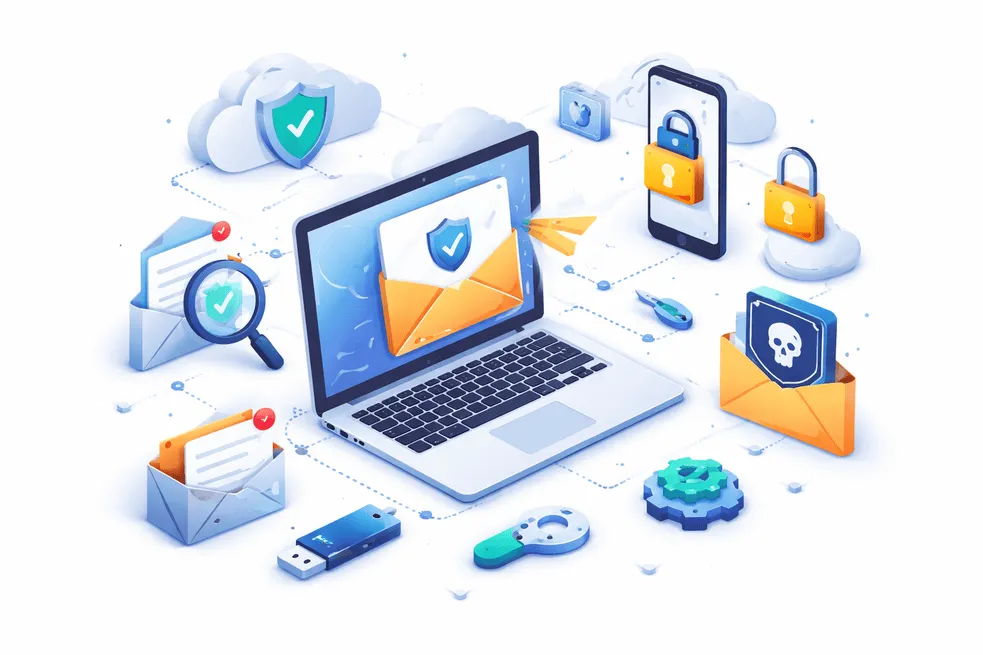
क्या ईमेल अग्रेषण सुरक्षित है? सुरक्षा जोखिम और सर्वोत्तम प्रथाएँ
हर बार जब आप किसी सेवा के लिए साइन अप करते हैं, ऑनलाइन खरीदारी करते हैं, या सार्वजनिक वाईफाई से जुड़ते हैं, तो आप अपना ईमेल पता उजागर कर रहे होते हैं। समय के साथ, इससे स्पैम, फ़िशिंग प्रयास और यहां तक कि डेटा उल्लंघन भी होता है।
यहीं ईमेल फ़ॉरवर्डिंग आता है। यह एक साफ़ इनबॉक्स, बेहतर संगठन और यहां तक कि गोपनीयता सुरक्षा का वादा करता है। लेकिन यहाँ असली सवाल है:
क्या ईमेल अग्रेषण वास्तव में सुरक्षित है?
उत्तर है: हां—लेकिन केवल तभी जब आप इसका सही तरीके से उपयोग करें।
इस गाइड में, हम बताएंगे कि ईमेल अग्रेषण कैसे काम करता है, छिपे हुए जोखिमों को ज्यादातर लोग अनदेखा कर देते हैं, और आपके इनबॉक्स को सुरक्षित रखने के लिए सर्वोत्तम अभ्यास क्या हैं।
ईमेल अग्रेषण को समझना: यह कैसे काम करता है
ईमेल अग्रेषण एक ऐसी सुविधा है जो आने वाले ईमेल को एक पते से दूसरे पते पर स्वचालित रूप से पुनर्निर्देशित करती है।
उदाहरण के लिए:
contact@yourdomain.comपर भेजे गए ईमेल → आपके व्यक्तिगत Gmail पर अग्रेषित- द्वितीयक इनबॉक्स से संदेश → आपके प्राथमिक इनबॉक्स में भेजे जाते हैं
इसका उपयोग करके किया जा सकता है:
- ईमेल अग्रेषण सेवाएँ
- जीमेल या आउटलुक में अंतर्निहित सुविधाएँ
- कस्टम डोमेन अग्रेषण सेटअप
ईमेल अग्रेषण के प्रकार
- मैन्युअल अग्रेषण – आप स्वयं ईमेल अग्रेषित करते हैं
- स्वचालित ईमेल अग्रेषण - नियम तुरंत ईमेल भेजते हैं
- सशर्त अग्रेषण - फ़िल्टर केवल विशिष्ट संदेशों को अग्रेषित करता है
लोग ईमेल अग्रेषण का उपयोग क्यों करते हैं
- एकाधिक ईमेल खाते प्रबंधित करें
- इनबॉक्स अव्यवस्था को कम करें
- प्राथमिक ईमेल को एक्सपोज़र से बचाएं
- संचार को केंद्रीकृत करें
अस्थायी ईमेल या ईमेल उपनाम की तुलना में, अग्रेषण एक मध्यम परत के रूप में कार्य करता है, डिस्पोजेबल ढाल के रूप में नहीं।
क्या ईमेल अग्रेषण सुरक्षित है? असली उत्तर
ईमेल अग्रेषण आम तौर पर सुरक्षित है—लेकिन अगर ठीक से कॉन्फ़िगर नहीं किया गया तो यह सुरक्षा जोखिम के साथ आता है।
आइए इसे तोड़ें।
ईमेल अग्रेषण के सुरक्षा जोखिम
1. डेटा अवरोधन जोखिम
जब ईमेल अग्रेषित किए जाते हैं, तो वे एकाधिक सर्वर से होकर गुजरते हैं। यदि एन्क्रिप्शन कमजोर है, तो संवेदनशील डेटा (जैसे ओटीपी या लॉगिन लिंक) उजागर हो सकता है।
- जोखिम तब बढ़ता है जब:
- अज्ञात अग्रेषण सेवाओं का उपयोग करना
- संवेदनशील ईमेल अग्रेषित करना (बैंकिंग, पासवर्ड)
2. एन्क्रिप्शन सुरक्षा का नुकसान
कुछ अग्रेषित ईमेल एंड-टू-एंड एन्क्रिप्शन खो सकते हैं, खासकर जब:
- सुरक्षित प्लेटफ़ॉर्म से कम सुरक्षित प्लेटफ़ॉर्म पर अग्रेषित करना
- पुराने ईमेल अग्रेषण कॉन्फ़िगरेशन का उपयोग करना
3. फ़िशिंग प्रवर्धन
अग्रेषण नियम आकस्मिक रूप से हो सकते हैं:
- फ़िशिंग ईमेल अग्रेषित करें
- कई इनबॉक्स में दुर्भावनापूर्ण लिंक फैलाएं
इससे आपका एक्सपोज़र कम होने की बजाय बढ़ता है।
4. गलत तरीके से कॉन्फ़िगर किए गए नियम
स्वचालित ईमेल अग्रेषण सेटअप में एक सामान्य समस्या है:
- फ़िल्टर किए गए ईमेल के बजाय सभी ईमेल अग्रेषित करना
- लूप बनाना (ईमेल को आगे-पीछे भेजना)
- गोपनीय ईमेल गलत पते पर भेजना
5. गोपनीयता रिसाव
यदि आप फ़ॉरवर्डिंग का गलत उपयोग करते हैं, तो आपका वास्तविक ईमेल पता अभी भी इसके माध्यम से उजागर हो सकता है:
- उत्तर हेडर
- ईमेल मेटाडेटा
- ग़लत कॉन्फ़िगर किए गए उपनाम
ईमेल अग्रेषण के लाभ (जब सुरक्षित रूप से उपयोग किया जाए)
जोखिमों के बावजूद, ईमेल अग्रेषण शक्तिशाली लाभ प्रदान करता है।
1. इनबॉक्स प्रबंधन और उत्पादकता
एकाधिक खातों की जाँच करने के बजाय, अग्रेषण आपकी सहायता करता है:
- संचार को केंद्रीकृत करें
- महत्वपूर्ण ईमेल कभी न चूकें
- इनबॉक्स स्विच करने में लगने वाला समय कम करें
2. स्पैम में कमी
ईमेल अग्रेषण का रणनीतिक रूप से उपयोग करना:
- स्पैम को अपने मुख्य इनबॉक्स से दूर रखें
- अवांछित ईमेल को स्वचालित रूप से फ़िल्टर करें
- एक्सपोज़र को नियंत्रित करने में आपकी सहायता करें
3. बेहतर गोपनीयता नियंत्रण
अस्थायी ईमेल अग्रेषण जैसे टूल के साथ संयुक्त होने पर, आप यह कर सकते हैं:
- अपना वास्तविक ईमेल पता छिपाएँ
- विभिन्न सेवाओं के लिए अलग-अलग अग्रेषण पते का उपयोग करें
- विपणक द्वारा ट्रैकिंग रोकें
4. एकाधिक खातों के साथ लचीलापन
अग्रेषण इसके लिए आदर्श है:
- फ्रीलांसर ग्राहकों का प्रबंधन करते हैं
- अनेक विभागों को संभालने वाले व्यवसाय
- डेवलपर्स ईमेल वर्कफ़्लो का परीक्षण कर रहे हैं
5. बैकअप एवं अतिरेक
यदि एक इनबॉक्स विफल हो जाता है, तो अग्रेषित ईमेल सुनिश्चित करते हैं:
- कोई डेटा हानि नहीं
- संचार तक निरंतर पहुंच
ईमेल अग्रेषण का सुरक्षित रूप से उपयोग कैसे करें (चरण-दर-चरण)
ईमेल अग्रेषण को सुरक्षित बनाने के लिए, इस अनुकूलित सेटअप का पालन करें:
चरण 1: एक विश्वसनीय ईमेल अग्रेषण सेवा चुनें
अज्ञात उपकरणों से बचें. खोजें:
- मजबूत एन्क्रिप्शन
- गोपनीयता-केंद्रित नीतियां
- कोई डेटा लॉगिंग नहीं
चरण 2: फ़िल्टर-आधारित अग्रेषण का उपयोग करें
सब कुछ अग्रेषित करने के बजाय:* केवल महत्वपूर्ण ईमेल ही अग्रेषित करें
- प्रेषक या विषय के आधार पर नियम बनाएं
चरण 3: संवेदनशील ईमेल अग्रेषित करने से बचें
अग्रेषित न करें:
- बैंकिंग ईमेल
- पासवर्ड रीसेट लिंक
- गोपनीय दस्तावेज़
चरण 4: अस्थायी ईमेल के साथ संयोजित करें
अधिकतम गोपनीयता के लिए:
- साइनअप के लिए अस्थायी ईमेल का उपयोग करें
- महत्वपूर्ण संचार के लिए ईमेल अग्रेषण का उपयोग करें
यह हाइब्रिड दृष्टिकोण स्पैम और जोखिम को कम करता है।
चरण 5: सुरक्षा सुविधाएँ सक्षम करें
हमेशा सक्षम करें:
- दो-कारक प्रमाणीकरण (2FA)
- स्पैम फ़िल्टर
- ईमेल सत्यापन अलर्ट
चरण 6: अपने सेटअप का परीक्षण करें
अग्रेषण पर भरोसा करने से पहले:
- परीक्षण ईमेल भेजें
- देरी या विफलताओं की जाँच करें
- सही रूटिंग सुनिश्चित करें
सुरक्षित ईमेल अग्रेषण के लिए सर्वोत्तम अभ्यास
आपके सेटअप को सुरक्षित रखने के लिए यहां सिद्ध युक्तियाँ दी गई हैं:
एकाधिक अग्रेषण पतों का उपयोग करें
एक ईमेल के बजाय:
- विभिन्न प्लेटफार्मों के लिए अलग-अलग अग्रेषण ईमेल बनाएं
- स्पैम स्रोतों को ट्रैक करने में मदद करता है
सार्वजनिक वाईफाई कॉन्फ़िगरेशन से बचें
अग्रेषण नियम कभी भी सेट न करें:
- एयरपोर्ट वाईफ़ाई
- सार्वजनिक नेटवर्क
ये हमलों के प्रति संवेदनशील हैं.
अग्रेषण नियमों का नियमित ऑडिट करें
जांचें:
- सक्रिय अग्रेषण नियम
- अज्ञात अग्रेषण पते
- संदिग्ध गतिविधि
कस्टम डोमेन फ़ॉरवर्डिंग का उपयोग करें
अपने स्वयं के डोमेन का उपयोग करने से मिलता है:
*बेहतर नियंत्रण
- व्यावसायिक सेटअप
- बेहतर सुरक्षा
अप्रयुक्त अग्रेषण नियम अक्षम करें
पुराने नियम कमज़ोरियाँ बन सकते हैं। उन्हें हमेशा हटा दें.
अग्रेषित ईमेल की निगरानी करें
इसके लिए देखें:
- डुप्लिकेट ईमेल
- गुम संदेश
- संदिग्ध अग्रेषण व्यवहार
ईमेल अग्रेषण बनाम अन्य गोपनीयता उपकरण
कीवर्ड नरभक्षण से बचने के लिए, यहां एक स्पष्ट अंतर दिया गया है:
| उपकरण | उद्देश्य | सर्वोत्तम उपयोग |
|---|---|---|
| ईमेल अग्रेषण | ईमेल पुनर्निर्देशित करें | इनबॉक्स प्रबंधन |
| अस्थायी ईमेल | डिस्पोजेबल इनबॉक्स | अनाम साइनअप |
| ईमेल उपनाम | मास्क ईमेल पहचान | दीर्घकालिक गोपनीयता |
सर्वोत्तम परिणामों के लिए ईमेल अग्रेषण + अस्थायी मेल का एक साथ उपयोग करें।
क्या आपको ईमेल अग्रेषण का उपयोग करना चाहिए?
ईमेल अग्रेषण एक शक्तिशाली उपकरण है-लेकिन अपने आप में पूर्ण गोपनीयता समाधान नहीं है।
- अगर गलत तरीके से इस्तेमाल किया जाए तो यह आपके डेटा को उजागर कर सकता है।
- यदि स्मार्ट तरीके से उपयोग किया जाए, तो यह आपकी ईमेल सुरक्षा और उत्पादकता को बदल सकता है।
मुख्य बात है संतुलन:
- संगठन के लिए अग्रेषण का उपयोग करें
- गोपनीयता के लिए अस्थायी ईमेल का उपयोग करें
- सख्त सुरक्षा प्रथाएँ लागू करें
सीटीए: थ्रोइनबॉक्स से अपने इनबॉक्स को सुरक्षित रखें
क्या आप अपने वास्तविक इनबॉक्स को उजागर किए बिना ईमेल प्रबंधित करने का सबसे सुरक्षित तरीका चाहते हैं?
थ्रोइनबॉक्स आपकी मदद करता है:
- तुरंत अस्थायी ईमेल का उपयोग करें
- स्मार्ट ईमेल अग्रेषण के साथ संयोजन करें
- स्पैम, फ़िशिंग और डेटा लीक से बचें
आज ही थ्रोइनबॉक्स का उपयोग शुरू करें और अपनी ईमेल गोपनीयता पर पूरा नियंत्रण रखें।
अक्सर पूछे जाने वाले प्रश्न
सुरक्षा, OTP, इनबॉक्स अवधि, रिकवरी और कानूनी पहलुओं पर सीधे जवाब।
क्या ईमेल अग्रेषण व्यक्तिगत उपयोग के लिए सुरक्षित है?
हां, यदि सुरक्षित प्रदाताओं और फ़िल्टरिंग नियमों के साथ ठीक से कॉन्फ़िगर किया गया हो तो ईमेल अग्रेषण सुरक्षित है।
क्या ईमेल अग्रेषण से मेरा वास्तविक ईमेल पता उजागर हो सकता है?
हाँ, यदि गलत कॉन्फ़िगर किया गया है। लीक को रोकने के लिए हमेशा हेडर और उत्तर सेटिंग्स की जांच करें।
क्या स्वचालित ईमेल अग्रेषण सुरक्षित है?
फ़िल्टर के रूप में उपयोग किए जाने पर स्वचालित ईमेल अग्रेषण सुरक्षित होता है, संवेदनशील ईमेल को बाहर रखा जाता है और सुरक्षा सुविधाएँ सक्षम की जाती हैं
क्या हैकर्स ईमेल अग्रेषण का फायदा उठा सकते हैं?
हां, यदि नियमों से समझौता किया जाता है, तो खाते हैक कर लिए जाते हैं और कमजोर पासवर्ड का उपयोग किया जाता है
क्या ईमेल अग्रेषण से स्पैम कम हो जाता है?
हाँ, जब रणनीतिक रूप से उपयोग किया जाता है। यह आपके प्राथमिक इनबॉक्स से स्पैम को अलग करने में मदद करता है।
क्या मुझे ओटीपी और सत्यापन ईमेल अग्रेषित करना चाहिए?
नहीं, जोखिम कम करने के लिए ओटीपी या संवेदनशील सत्यापन ईमेल अग्रेषित करने से बचें।
ईमेल अग्रेषण का उपयोग करने का सबसे सुरक्षित तरीका क्या है?
सबसे सुरक्षित तरीके हैं गैर-संवेदनशील ईमेल के लिए अग्रेषण का उपयोग करना, अस्थायी ईमेल सेवाओं के साथ संयोजन करना और मजबूत सुरक्षा सेटिंग्स सक्षम करना