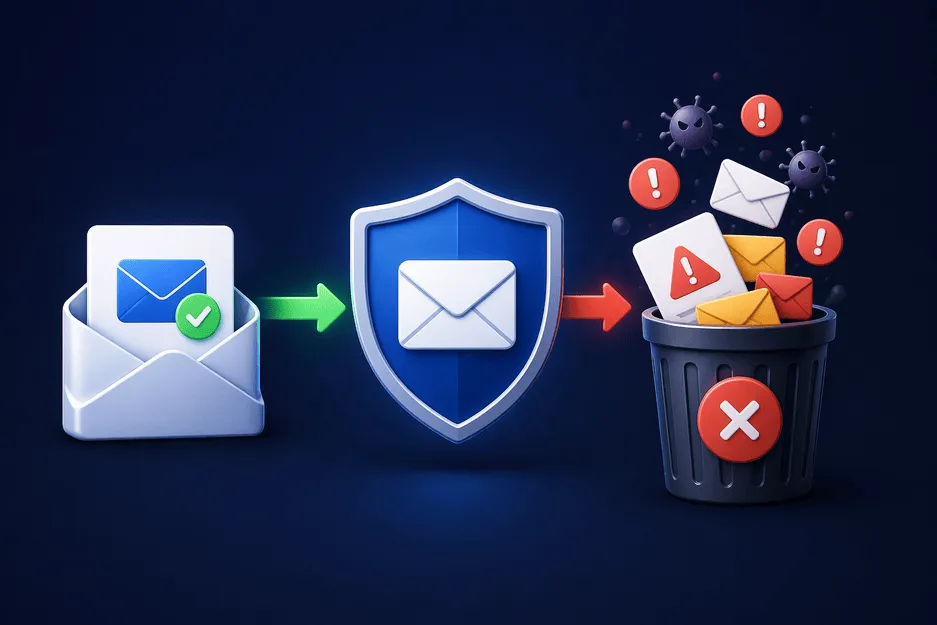
परिचय
स्पैम ईमेल सिर्फ एक झुंझलाहट से कहीं अधिक हैं - वे एक दैनिक व्यवधान हैं। अंतहीन प्रचार संदेशों से लेकर संदिग्ध लिंक और फ़िशिंग प्रयासों तक, आपका इनबॉक्स जल्दी ही अव्यवस्थित गंदगी में बदल सकता है। समय के साथ, इससे न केवल आपका समय बर्बाद होता है बल्कि किसी हानिकारक चीज़ पर क्लिक करने का जोखिम भी बढ़ जाता है।
समस्या की जड़ सरल है: हर बार जब आप अपना ईमेल पता ऑनलाइन साझा करते हैं, तो आप अवांछित संचार का द्वार खोल देते हैं। कई वेबसाइटें ईमेल डेटा संग्रहीत, साझा या यहां तक कि बेचती हैं, जिससे स्पैम का प्रवाह बढ़ जाता है।
अच्छी खबर? आपको इसे सामान्य रूप में स्वीकार करने की आवश्यकता नहीं है.
स्मार्ट रणनीतियों का उपयोग करके - जैसे कि आप अपना ईमेल कहां साझा करते हैं उसे सीमित करना और ** अस्थायी मेल ** या ** डिस्पोजेबल मेल ** जैसे टूल का उपयोग करना - आप स्पैम को काफी हद तक कम कर सकते हैं और अपने इनबॉक्स पर नियंत्रण हासिल कर सकते हैं।
इस गाइड में, आप सीखेंगे कि स्पैम ईमेल से कैसे बचें, अपनी गोपनीयता की रक्षा करें और अपने इनबॉक्स को साफ रखें।
यह समझना कि स्पैम ईमेल कहाँ से आते हैं
इससे पहले कि आप स्पैम को प्रभावी ढंग से रोक सकें, आपको यह समझना होगा कि यह कैसे शुरू होता है।
1. अनेक वेबसाइटों पर साइन अप करना
आपके द्वारा भरा गया प्रत्येक साइनअप फॉर्म आपका एक्सपोज़र बढ़ाता है। यहां तक कि वैध वेबसाइटें भी बार-बार प्रचारात्मक ईमेल भेज सकती हैं या आपका डेटा भागीदारों के साथ साझा कर सकती हैं।
2. डेटा उल्लंघन
यदि आपका ईमेल संग्रहीत करने वाली कोई कंपनी हैक हो जाती है, तो आपका पता स्पैम डेटाबेस में जा सकता है।
3. सार्वजनिक रूप से साझा किए गए ईमेल पते
फ़ोरम, सोशल मीडिया या वेबसाइटों पर अपना ईमेल पोस्ट करने से बॉट्स के लिए इसे एकत्र करना आसान हो जाता है।
4. ईमेल हार्वेस्टिंग बॉट
स्वचालित उपकरण लक्षित करने के लिए ईमेल पतों की तलाश में इंटरनेट को स्कैन करते हैं।
5. न्यूज़लेटर्स की सदस्यता लेना
कभी-कभी, एक सदस्यता कई मेलिंग सूचियों की ओर ले जाती है जिनके लिए आपने साइन अप नहीं किया है।
स्पैम ईमेल से बचने के प्रभावी तरीके
अब आइए व्यावहारिक भाग पर ध्यान दें—वास्तव में क्या काम करता है।
1. साइनअप के लिए अस्थायी ईमेल का उपयोग करें
सबसे प्रभावी रणनीतियों में से एक आपके वास्तविक ईमेल के बजाय अस्थायी ईमेल का उपयोग करना है।
एक अस्थायी ईमेल जनरेटर आपको एक अल्पकालिक पता देता है जिसका उपयोग आप इसके लिए कर सकते हैं:
- एक बार का साइनअप
- डाउनलोड
- नि:शुल्क परीक्षण
इस तरह, स्पैम आपके मुख्य इनबॉक्स तक कभी नहीं पहुंचेगा।
इस विधि को प्रयोग के रूप में भी जाना जाता है:
- डिस्पोजेबल मेल
- फेंकने योग्य ईमेल
- बर्नर मेल
- यादृच्छिक ईमेल
- फर्जी मेल
2. अपना असली ईमेल हर जगह शेयर करने से बचें
इस बारे में चयनात्मक रहें कि आप अपने व्यक्तिगत ईमेल का उपयोग कहाँ करते हैं।
अपने आप से पूछें:
- क्या मुझे इस वेबसाइट पर भरोसा है?
- क्या मैं इस सेवा का दीर्घकालिक उपयोग करूंगा?
यदि उत्तर नहीं है, तो इसके बजाय फर्जी ईमेल जनरेटर या रैंडम ईमेल जनरेटर का उपयोग करें।
3. एकाधिक ईमेल पते का उपयोग करें
अपना ईमेल उपयोग विभाजित करें:
- प्राथमिक ईमेल → व्यक्तिगत एवं महत्वपूर्ण खाते
- द्वितीयक ईमेल → सदस्यताएँ एवं समाचारपत्रिकाएँ
- अस्थायी मेल → एक बार उपयोग
यह स्तरित दृष्टिकोण जोखिम को कम करता है।
4. अवांछित ईमेल से सदस्यता समाप्त करें
यदि आपको बहुत अधिक ईमेल प्राप्त हो रहे हैं:
- "सदस्यता समाप्त करें" लिंक का उपयोग करें
- ईमेल को स्पैम के रूप में चिह्नित करें
समय के साथ, इससे ईमेल प्रदाताओं को अवांछित संदेशों को फ़िल्टर करने में मदद मिलती है।
5. कभी भी संदिग्ध लिंक पर क्लिक न करें
स्पैम ईमेल में अक्सर फ़िशिंग लिंक होते हैं।
बचें:
- अज्ञात लिंक पर क्लिक करना
- अज्ञात प्रेषकों से अनुलग्नक डाउनलोड करना
- संदिग्ध ईमेल का जवाब देना
6. ईमेल फ़िल्टर और स्पैम सुरक्षा का उपयोग करें
अधिकांश ईमेल प्रदाता अंतर्निर्मित फ़िल्टर प्रदान करते हैं।
आप यह कर सकते हैं:
- स्पैम को स्वचालित रूप से एक अलग फ़ोल्डर में ले जाएं
- विशिष्ट प्रेषकों को ब्लॉक करें
- कुछ कीवर्ड के लिए नियम बनाएं
7. अपना ईमेल सार्वजनिक रूप से पोस्ट करने से बचें
यदि आपको अपना ईमेल ऑनलाइन साझा करने की आवश्यकता है:
- "नाम [पर] डोमेन [डॉट] कॉम" जैसे प्रारूपों का उपयोग करें
- या अस्थायी ईमेल जनरेटर का उपयोग करें
8. मुफ़्त ऑफ़र से सावधान रहें
"मुफ़्त" अक्सर आपके ईमेल पते की कीमत पर आता है।
ऐसे ऑफ़र के लिए अपने वास्तविक ईमेल का उपयोग करने के बजाय थ्रोअवे ईमेल का उपयोग करें।
9. एक ईमेल फारवर्डर का उपयोग करें
एक ईमेल फ़ॉरवर्डर मध्य परत के रूप में कार्य कर सकता है।
यह आपको इसकी अनुमति देता है:
- अपना वास्तविक पता उजागर किए बिना ईमेल प्राप्त करें
- नियंत्रित करें कि कौन से ईमेल आपके मुख्य इनबॉक्स तक पहुँचें
अतिरिक्त लचीलेपन के लिए thowinbox.com अस्थायी मेल अग्रेषण का भी समर्थन करता है।
10. अपने इनबॉक्स को नियमित रूप से साफ करें
सावधानी बरतने पर भी, कुछ स्पैम पहुंच जाएगा।
इसे एक आदत बनाएं:
- अवांछित ईमेल हटाएँ
- स्पैम फ़ोल्डर साफ़ करें
- सदस्यताओं की समीक्षा करें
स्पैम ईमेल से बचने के फायदे
स्पैम को कम करना केवल सुविधा के बारे में नहीं है - यह आपके समग्र डिजिटल अनुभव को बेहतर बनाता है।
1. बेहतर उत्पादकताएक साफ़ इनबॉक्स आपको महत्वपूर्ण संदेशों पर ध्यान केंद्रित करने में मदद करता है।
2. बेहतर सुरक्षा
कम स्पैम का मतलब है फ़िशिंग हमलों में फंसने की कम संभावना।
3. उन्नत गोपनीयता
डिस्पोज़ेबल मेल का उपयोग करने से आपकी पहचान सुरक्षित रहती है।
4. तेज़ ईमेल प्रबंधन
आप कबाड़ को छांटने में कम समय खर्च करते हैं।
5. तनाव कम होना
एक व्यवस्थित इनबॉक्स को प्रबंधित करना मानसिक रूप से आसान है।
स्पैम से बचने के लिए डिस्पोजेबल मेल का उपयोग कैसे करें
चरण 1: थ्रोइनबॉक्स पर जाएँ
थ्रोइनबॉक्स वेबसाइट खोलें।
चरण 2: एक अस्थायी ईमेल जनरेट करें
एक अस्थायी ईमेल जनरेटर तुरंत एक अद्वितीय पता बना देगा।
चरण 3: जोखिम भरी या अज्ञात साइटों के लिए इसका उपयोग करें
जब भी आप किसी वेबसाइट के बारे में अनिश्चित हों, तो अपने वास्तविक ईमेल के बजाय अपने अस्थायी मेल का उपयोग करें।
चरण 4: ईमेल सुरक्षित रूप से प्राप्त करें
सत्यापन ईमेल और लिंक तुरंत आपके इनबॉक्स में दिखाई देंगे।
चरण 5: इसे समाप्त होने दें
एक बार हो जाने पर, ईमेल पता स्वचालित रूप से किसी भी स्पैम के साथ हटा दिया जाता है।
लंबे समय तक स्पैम-मुक्त रहने के लिए युक्तियाँ
1. साझा करने से पहले सोचें
आपका ईमेल मूल्यवान है—इसे आसानी से न दें।
2. अस्थायी ईमेल का बार-बार उपयोग करें
एक बर्नर | अस्थायी ईमेल जनरेटर स्पैम के खिलाफ आपका सबसे अच्छा बचाव है।
3. अपना मुख्य ईमेल निजी रखें
इसे केवल विश्वसनीय संपर्कों और सेवाओं के लिए आरक्षित रखें।
4. घोटालों पर अपडेट रहें
स्पैम रणनीति विकसित होती है—जागरूक रहें।
5. सभी साइटों पर ईमेल का दोबारा उपयोग करने से बचें
ट्रैकिंग को कम करने के लिए यादृच्छिक ईमेल का उपयोग करें।
कॉल टू एक्शन (सीटीए)
स्पैम ईमेल को आपके दैनिक जीवन का हिस्सा होना जरूरी नहीं है।
सही आदतों और उपकरणों के साथ, आप अपने इनबॉक्स को साफ़, सुरक्षित और तनाव मुक्त रख सकते हैं।
थ्रोइनबॉक्स आपको सुरक्षित, गुमनाम और डिस्पोजेबल ईमेल पते तक त्वरित पहुंच प्रदान करता है। चाहे आपको अस्थायी ईमेल, बर्नर मेल, या त्वरित थ्रोअवे ईमेल की आवश्यकता हो, यह ऑनलाइन सुरक्षित रहने का सबसे आसान तरीका है।
आज ही थ्रोइनबॉक्स का उपयोग शुरू करें और अपने इनबॉक्स पर हमेशा के लिए नियंत्रण रखें।
अक्सर पूछे जाने वाले प्रश्न
सुरक्षा, OTP, इनबॉक्स अवधि, रिकवरी और कानूनी पहलुओं पर सीधे जवाब।
स्पैम ईमेल से बचने का सबसे आसान तरीका क्या है?
साइनअप के लिए अस्थायी ईमेल का उपयोग करना सबसे प्रभावी तरीकों में से एक है।
क्या डिस्पोजेबल ईमेल सुरक्षित हैं?
हां, साइनअप और सत्यापन जैसे सामान्य उपयोग के लिए डिस्पोजेबल मेल सुरक्षित है।
क्या स्पैम ईमेल को पूरी तरह रोका जा सकता है?
पूरी तरह से तो नहीं, लेकिन सही प्रथाओं से इन्हें काफी हद तक कम किया जा सकता है।
थ्रोअवे ईमेल क्या है?
थ्रोअवे ईमेल अल्पकालिक उद्देश्यों के लिए उपयोग किए जाने वाले अस्थायी ईमेल पते का दूसरा नाम है।
रैंडम ईमेल जेनरेटर कैसे मदद करता है?
एक यादृच्छिक ईमेल जनरेटर अद्वितीय पते बनाता है, ट्रैकिंग और स्पैम बिल्डअप को रोकता है।
क्या मुझे स्पैम ईमेल से सदस्यता समाप्त कर देनी चाहिए?
हाँ, लेकिन केवल विश्वसनीय स्रोतों से। संदिग्ध ईमेल में लिंक पर क्लिक करने से बचें।
नकली ईमेल और अस्थायी ईमेल में क्या अंतर है?
एक नकली ईमेल काम नहीं कर सकता है, जबकि एक अस्थायी ईमेल कार्यात्मक लेकिन अस्थायी है।
क्या मैं महत्वपूर्ण खातों के लिए अस्थायी मेल का उपयोग कर सकता हूँ?
नहीं, महत्वपूर्ण खातों के लिए बर्नर मेल का उपयोग करने से बचें।