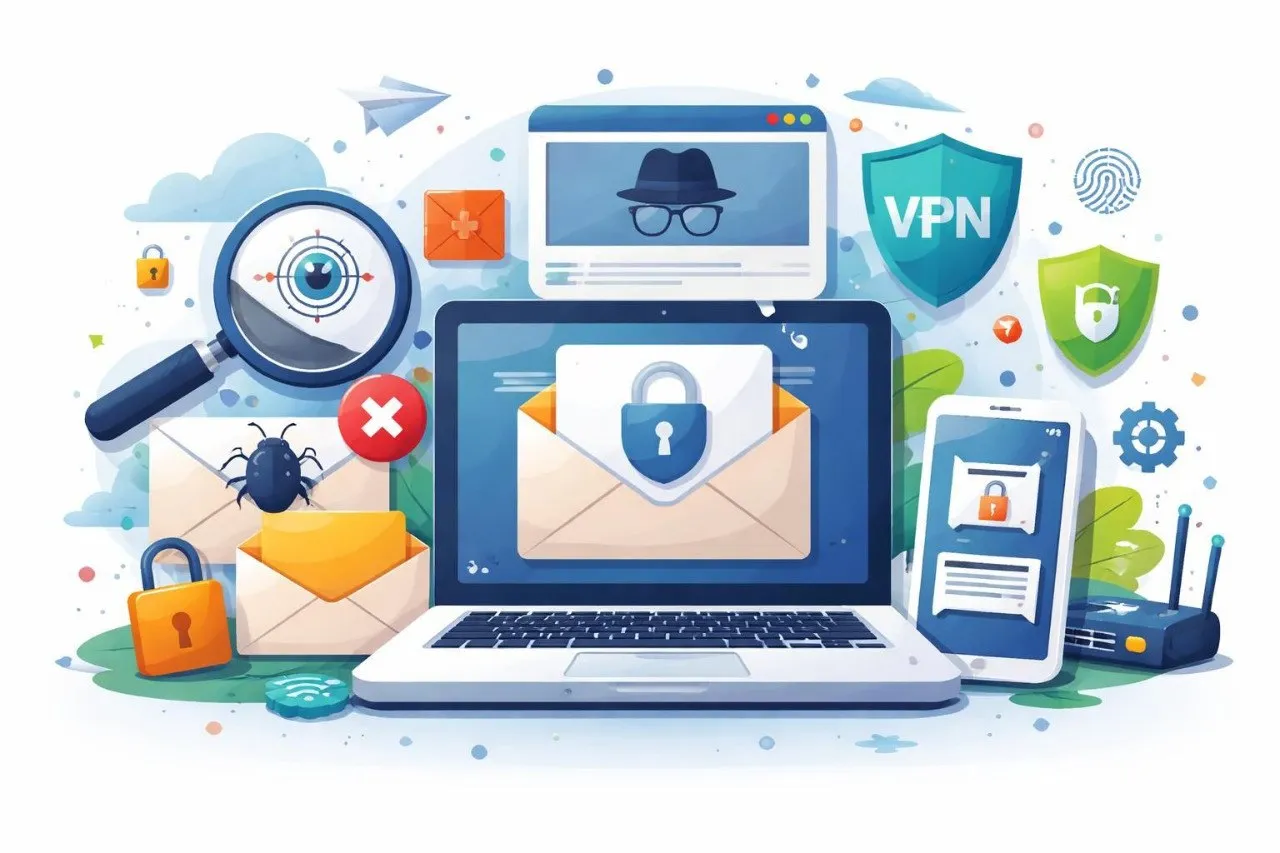
ईमेल ट्रैकिंग से बचें: निजी रहने के 10 सिद्ध तरीके
क्या आपने कभी कोई ईमेल खोला है और सोचा है कि क्या प्रेषक को किसी तरह पता था?
यह सिर्फ एक भावना नहीं है - यह वास्तविकता है।
आज, अधिकांश ईमेल में ट्रैकिंग पिक्सल और छिपी हुई स्क्रिप्ट शामिल होती हैं जो चुपचाप आपके कार्यों की निगरानी करती हैं। जैसे ही आप कोई ईमेल खोलते हैं, प्रेषक को पता चल जाता है आपने इसे कब खोला, आप कहां थे और आपने किस उपकरण का उपयोग किया। इसे ईमेल ट्रैकिंग कहा जाता है, और यह ज्यादातर लोगों की समझ से कहीं अधिक बार होता है।
असली समस्या?
आपने कभी स्पष्ट अनुमति नहीं दी.
लेकिन यहाँ अच्छी खबर है: आप नियंत्रण वापस ले सकते हैं।
अस्थायी ईमेल पते, ईमेल फॉरवर्डर, और कुछ सरल गोपनीयता तकनीकों का उपयोग करके, आप ईमेल ट्रैकिंग से बच सकते हैं, स्पैम को कम कर सकते हैं, और ऑनलाइन अपनी पहचान सुरक्षित कर सकते हैं।
इस गाइड में, आप सीखेंगे कि यह कैसे करना है - 10 सिद्ध रणनीतियों, व्यावहारिक उदाहरणों और आसान चरणों के साथ जिनका कोई भी अनुसरण कर सकता है।
ईमेल ट्रैकिंग क्या है?
ईमेल ट्रैकिंग एक ऐसी विधि है जिसका उपयोग यह निगरानी करने के लिए किया जाता है कि प्राप्तकर्ता ईमेल के साथ कब और कैसे इंटरैक्ट करते हैं। यह अदृश्य ट्रैकिंग पिक्सल या स्क्रिप्ट का उपयोग करके काम करता है जो आपके आईपी पते, स्थान, डिवाइस प्रकार और ईमेल खोलने के सही समय जैसे डेटा एकत्र करता है।
मैं ईमेल ट्रैकिंग से कैसे बचूँ?
ईमेल ट्रैकिंग से बचने के लिए, अस्थायी ईमेल पते का उपयोग करें, छवि लोडिंग अक्षम करें, अज्ञात लिंक पर क्लिक करने से बचें और अपना वास्तविक ईमेल पता छिपाने के लिए ईमेल अग्रेषण का उपयोग करें।
ईमेल ट्रैकिंग को समझना: यह क्या है और यह क्यों महत्वपूर्ण है
ईमेल ट्रैकिंग एक सरल लेकिन प्रभावी ट्रिक द्वारा संचालित होती है: अदृश्य छवियां।
ये छवियां, जिन्हें ट्रैकिंग पिक्सल के रूप में जाना जाता है, ईमेल के अंदर एम्बेडेड होती हैं। जब आप संदेश खोलते हैं, तो आपका ईमेल क्लाइंट प्रेषक के सर्वर से छवि लोड करता है। यह क्रिया निम्न जानकारी वापस भेजती है:
- आपका आईपी पता
- आपका अनुमानित स्थान
- आपका डिवाइस और ब्राउज़र
- ठीक उसी समय जब आपने ईमेल खोला था
इस प्रक्रिया को ईमेल ओपन ट्रैकिंग कहा जाता है।
आपको परवाह क्यों करनी चाहिए?
क्योंकि इस डेटा का उपयोग इसके लिए किया जा सकता है:
- व्यवहारिक प्रोफाइल बनाएं
- विज्ञापनों से आपको लक्षित करें
- अधिक स्पैम भेजें
- अपनी ऑनलाइन आदतों पर नज़र रखें
कुछ मामलों में, हमलावर यह पुष्टि करने के लिए ट्रैकिंग का उपयोग करते हैं कि आपका ईमेल पता सक्रिय है—जिससे आप एक बड़ा लक्ष्य बन जाते हैं। यह समझने के लिए कि यह पर्दे के पीछे कैसे काम करता है, मास्टरिंग एसएमटीपी और ईमेल फ़ॉरवर्डिंग पढ़ें
ईमेल ट्रैकिंग पिक्सेल कैसे काम करते हैं?
ट्रैकिंग पिक्सेल ईमेल में एम्बेडेड छोटी अदृश्य छवियां हैं। खोले जाने पर, वे एक सर्वर से लोड होते हैं और प्रेषक को डेटा वापस भेजते हैं, जिससे पता चलता है कि आपने ईमेल कब और कहाँ खोला है।
ईमेल ट्रैकिंग से बचने के फायदे
ईमेल ट्रैकिंग से बचना केवल गोपनीयता के बारे में नहीं है - यह नियंत्रण, सुरक्षा और मन की शांति के बारे में है।
1. अपने व्यक्तिगत डेटा को सुरक्षित रखें
आप कंपनियों को आपका स्थान, डिवाइस जानकारी और व्यवहार एकत्र करने से रोकते हैं।
2. स्पैम और लक्ष्यीकरण कम करें
जब ट्रैकर विफल हो जाते हैं, तो विपणक अंतर्दृष्टि खो देते हैं - जिससे कम लक्षित ईमेल प्राप्त होते हैं। अवांछित ईमेल को कम करने का तरीका जानेंप्रभावी ढंग से स्पैम ईमेल से बचें
3. ऑनलाइन गुमनाम रहें
अस्थायी ईमेल का उपयोग यह सुनिश्चित करता है कि आपकी पहचान छिपी रहे।
4. ईमेल सुरक्षा में सुधार करें
कई फ़िशिंग ईमेल सक्रिय उपयोगकर्ताओं की पुष्टि के लिए ट्रैकिंग पर निर्भर करते हैं।
5. अपने डिजिटल फ़ुटप्रिंट को नियंत्रित करें
आप तय करते हैं कि कौन सा डेटा साझा किया जाना है—छिपी हुई स्क्रिप्ट नहीं।
ईमेल गोपनीयता की सुरक्षा का सबसे अच्छा तरीका क्या है?
ईमेल गोपनीयता की रक्षा करने का सबसे अच्छा तरीका अस्थायी ईमेल पते, ईमेल अग्रेषण और छवियों और लिंक जैसे ट्रैकिंग तत्वों को अक्षम करना है।
ईमेल ट्रैकिंग से कैसे बचें (10 सिद्ध तरीके)
त्वरित उत्तर: ईमेल ट्रैकिंग से कैसे बचें
- अस्थायी ईमेल पते का प्रयोग करें
- छवि लोडिंग अक्षम करें
- ईमेल अग्रेषण का उपयोग करें
- ट्रैकिंग लिंक पर क्लिक करने से बचें
- गोपनीयता-केंद्रित टूल का उपयोग करें
1. अस्थायी ईमेल पते का उपयोग करें
अस्थायी ईमेल पताईमेल ट्रैकिंग से बचने** के सबसे प्रभावी तरीकों में से एक है।
अपना वास्तविक ईमेल साझा करने के बजाय:
- एक डिस्पोजेबल पता उत्पन्न करें
- इसे साइनअप, डाउनलोड या ट्रायल के लिए उपयोग करें
- पूरा हो जाने पर इसे त्याग दें
यह सुनिश्चित करता है कि आपका वास्तविक इनबॉक्स कभी भी उजागर न हो।
जानें थ्रोअवे ईमेल कैसे बनाएं
2. गोपनीयता के लिए ईमेल अग्रेषण का उपयोग करें**ईमेल अग्रेषण** एक सुरक्षा कवच की तरह कार्य करता है।
आप एक उपनाम ईमेल पता बनाते हैं जो संदेशों को आपके वास्तविक इनबॉक्स में अग्रेषित करता है। प्रेषक कभी भी आपका वास्तविक ईमेल नहीं देखता, जिससे ट्रैकिंग जोखिम कम हो जाता है।
लाभ:
- आपका असली ईमेल छुपाता है
- एक गोपनीयता परत जोड़ता है
- स्पैम को प्रबंधित करने में मदद करता है
3. स्वचालित छवि लोडिंग अक्षम करें
चूंकि ट्रैकिंग पिक्सेल छवियों पर निर्भर करते हैं, स्वचालित छवि लोडिंग को अक्षम करना एक सरल और शक्तिशाली कदम है।
अधिकांश ईमेल सेवाएँ आपको इसकी अनुमति देती हैं:
- बाहरी छवियों को ब्लॉक करें
- विश्वसनीय ईमेल मैन्युअल रूप से लोड करें
यह ट्रैकिंग पिक्सेल को सक्रिय होने से रोकता है।
जीमेल में ईमेल ट्रैकिंग पिक्सल को कैसे रोकें?
जीमेल सेटिंग्स पर जाएं, बाहरी छवियों को अक्षम करें और ट्रैकिंग पिक्सल को ब्लॉक करने के लिए अज्ञात ईमेल खोलने से बचें।
4. गोपनीयता-केंद्रित ईमेल सेवाओं का उपयोग करें
कुछ ईमेल प्रदाता ट्रैकिंग को स्वचालित रूप से ब्लॉक करने के लिए डिज़ाइन किए गए हैं।
यदि आप विकल्पों के बीच चयन कर रहे हैं, तो अंतर को समझना महत्वपूर्ण है टेम्प ईमेल बनाम जीमेल
जैसे सुविधाओं की तलाश करें:
- पिक्सेल अवरोधन
- अज्ञात दृश्य
- एंटी-ट्रैकिंग फ़िल्टर
कुछ ईमेल प्रदाता ट्रैकिंग को स्वचालित रूप से ब्लॉक करने के लिए डिज़ाइन किए गए हैं।
जैसे सुविधाओं की तलाश करें:
- पिक्सेल अवरोधन
- अज्ञात दृश्य
- एंटी-ट्रैकिंग फ़िल्टर
5. ट्रैक किए गए ईमेल का पता लगाएं
सभी ट्रैकिंग स्पष्ट नहीं हैं—लेकिन आप फिर भी संदिग्ध ईमेल की पहचान कर सकते हैं।
इसके लिए देखें:
- मार्केटिंग शैली के लेआउट
- छिपी हुई छवियाँ
- संदिग्ध लिंक
उन्नत उपकरण ट्रैकिंग पिक्सेल का पता लगाने में मदद कर सकते हैं।
मुझे कैसे पता चलेगा कि कोई ईमेल ट्रैक किया जा रहा है?
ट्रैक किए गए ईमेल में अक्सर छिपी हुई छवियां, मार्केटिंग लेआउट या संदिग्ध लिंक शामिल होते हैं। डिटेक्शन टूल स्वचालित रूप से ट्रैकिंग पिक्सल की पहचान भी कर सकते हैं।
6. ओटीपी के लिए डिस्पोज़ेबल ईमेल का उपयोग करें
कई वेबसाइटों को ईमेल सत्यापन की आवश्यकता होती है।
अपना मुख्य ईमेल उजागर करने के बजाय:
- एक अस्थायी ईमेल का प्रयोग करें
- एक अस्थायी इनबॉक्स के साथ सुरक्षित रूप से ओटीपी प्राप्त करें, देखें कि कैसे ओटीपी सत्यापन के लिए अस्थायी मेल
- लंबी अवधि की ट्रैकिंग से बचें
7. ट्रैकिंग लिंक को ब्लॉक करें
ट्रैकिंग केवल पिक्सेल के माध्यम से नहीं होती है - यह लिंक के माध्यम से भी होती है। बर्नर ईमेल का उपयोग करने से इस जोखिम को कम किया जा सकता है
क्लिक करने से पहले:
- लिंक पर होवर करें
- गंतव्य यूआरएल जांचें
- छोटे लिंक से बचें
8. ईमेल उपनाम का प्रयोग करें
ईमेल उपनाम आपको अपने ईमेल के कई रूप बनाने की अनुमति देता है।
लाभ:
- ट्रैक करें कि कौन सी साइटें आपका ईमेल लीक करती हैं
- स्पैम कम करें
- गोपनीयता में सुधार करें
9. अस्थायी मेल + अग्रेषण को संयोजित करें
इन दो गोपनीयता विधियों के बीच अंतर को समझें डिस्पोजेबल ईमेल बनाम ईमेल फॉरवर्डर । यह अंतिम गोपनीयता सेटअप है।
- साइनअप के लिए अस्थायी मेल का उपयोग करें
- महत्वपूर्ण ईमेल अग्रेषित करें
- अपना असली इनबॉक्स साफ रखें
10. सार्वजनिक वाईफाई ईमेल एक्सेस से बचें
सार्वजनिक वाईफाई से ट्रैकिंग जोखिम बढ़ जाता है।
हैकर्स ये कर सकते हैं:
- अवरोधन ईमेल
- ट्रैकिंग स्क्रिप्ट इंजेक्ट करें
- गतिविधि पर नज़र रखें
यदि आप अक्सर सार्वजनिक नेटवर्क का उपयोग करते हैं, तो सुरक्षित रहना महत्वपूर्ण है - यह मार्गदर्शिका देखें यात्रियों के लिए अस्थायी ईमेल
ईमेल ट्रैकिंग से बचने के लिए थ्रोइनबॉक्स का उपयोग कैसे करें
थ्रोइनबॉक्स का उपयोग करना सरल है:
चरण 1: एक अस्थायी ईमेल जनरेट करें
डिस्पोजेबल इनबॉक्स के साथ तुरंत शुरुआत करें मुफ़्त ईमेल जेनरेटर
चरण 2: साइनअप के लिए इसका उपयोग करें
इसका उपयोग ऐप्स, वेबसाइट और डाउनलोड के लिए करें।
चरण 3: अग्रेषण सक्षम करें
महत्वपूर्ण ईमेल को अपने मुख्य इनबॉक्स में सुरक्षित रूप से अग्रेषित करें: व्यवसाय के लिए ईमेल अग्रेषण
चरण 4: गुमनाम रहें
आपका असली ईमेल छिपा रहता है.
निजी रहने के लिए प्रो युक्तियाँ
- अलग-अलग उद्देश्यों के लिए अलग-अलग ईमेल का उपयोग करें
- अनजान लिंक पर क्लिक करने से बचें
- अप्रयुक्त ईमेल को नियमित रूप से हटाएं
- अधिकतम सुरक्षा के लिए उपकरणों का संयोजन करें
उन्नत ट्रैकिंग विधियों को समझकर अपनी गोपनीयता को और आगे बढ़ाएंब्राउज़र फ़िंगरप्रिंटिंग और गोपनीयता
2026 में निजी बने रहने का सबसे स्मार्ट तरीका सरल है - अस्थायी ईमेल, ईमेल अग्रेषण और सुरक्षित ब्राउज़िंग आदतों को मिलाएं।
सीटीए: अपनी ईमेल गोपनीयता पर नियंत्रण रखेंईमेल ट्रैकिंग हर जगह है—लेकिन आपको इसे स्वीकार करने की ज़रूरत नहीं है।
सही उपकरणों के साथ, आप यह कर सकते हैं:
- ट्रैकिंग पिक्सल को ब्लॉक करें
- गुमनाम रहें
- अपने व्यक्तिगत डेटा को सुरक्षित रखें
अस्थायी ईमेल जेनरेट करें, सुरक्षित अग्रेषण का उपयोग करें और अपने इनबॉक्स पर पूर्ण नियंत्रण रखें।
आज ही थ्रोइनबॉक्स का उपयोग शुरू करें और उपलब्ध सर्वोत्तम मुफ्त ईमेल जनरेटर और ईमेल फॉरवर्डर के साथ आज ही अपनी डिजिटल गोपनीयता पर नियंत्रण रखें।
अक्सर पूछे जाने वाले प्रश्न
सुरक्षा, OTP, इनबॉक्स अवधि, रिकवरी और कानूनी पहलुओं पर सीधे जवाब।
क्या ईमेल खोलने पर उसे ट्रैक किया जा सकता है?
हां, ईमेल को छिपे हुए पिक्सेल का उपयोग करके ट्रैक किया जा सकता है जो संदेश खोलने पर प्रेषक को सूचित करता है।
मैं ट्रैक किये बिना ईमेल कैसे पढ़ सकता हूँ?
निजी रहने के लिए छवियों को अक्षम करें, अस्थायी ईमेल का उपयोग करें, या अग्रेषण सेवा के माध्यम से ईमेल खोलें।
क्या ईमेल ट्रैकिंग कानूनी है?
ईमेल ट्रैकिंग कई क्षेत्रों में कानूनी है लेकिन पारदर्शिता की कमी के कारण गोपनीयता संबंधी चिंताएँ पैदा होती हैं।
क्या अस्थायी ईमेल ट्रैकिंग बंद कर देते हैं?
हां, अस्थायी ईमेल आपकी पहचान की रक्षा करते हैं और ट्रैकिंग जोखिमों को काफी कम कर देते हैं।
क्या ईमेल अग्रेषण सुरक्षित है?
हां, जब ठीक से कॉन्फ़िगर किया जाता है, तो यह आपके वास्तविक ईमेल को छुपाता है और गोपनीयता में सुधार करता है।
ईमेल ट्रैकिंग पिक्सेल क्या है?
ईमेल ट्रैकिंग पिक्सेल ईमेल में एम्बेडेड एक छोटी अदृश्य छवि है जो खुलने पर लोड होती है। यह प्रेषक को डेटा वापस भेजता है, जिससे उन्हें आपकी गतिविधि जैसे खुले समय, स्थान और डिवाइस को ट्रैक करने की अनुमति मिलती है।
क्या सभी ईमेल में ट्रैकिंग पिक्सेल होते हैं?
नहीं, सभी ईमेल में ट्रैकिंग पिक्सेल नहीं होते हैं। हालाँकि, अधिकांश मार्केटिंग, प्रमोशनल और न्यूज़लेटर ईमेल उपयोगकर्ता की सहभागिता और व्यवहार को मापने के लिए उनका उपयोग करते हैं।
क्या अज्ञात ईमेल खोलना सुरक्षित है?
आम तौर पर अज्ञात ईमेल खोलना सुरक्षित नहीं है, खासकर यदि उनमें चित्र या लिंक हों। उन्हें खोलने से ट्रैकिंग पिक्सल ट्रिगर हो सकते हैं और आपका डेटा सामने आ सकता है।
क्या ईमेल ट्रैकिंग से मेरा सटीक स्थान पता चल सकता है?
ईमेल ट्रैकिंग आमतौर पर आपके आईपी पते के आधार पर अनुमानित स्थान दिखाती है, न कि आपके सटीक भौतिक पते के आधार पर।