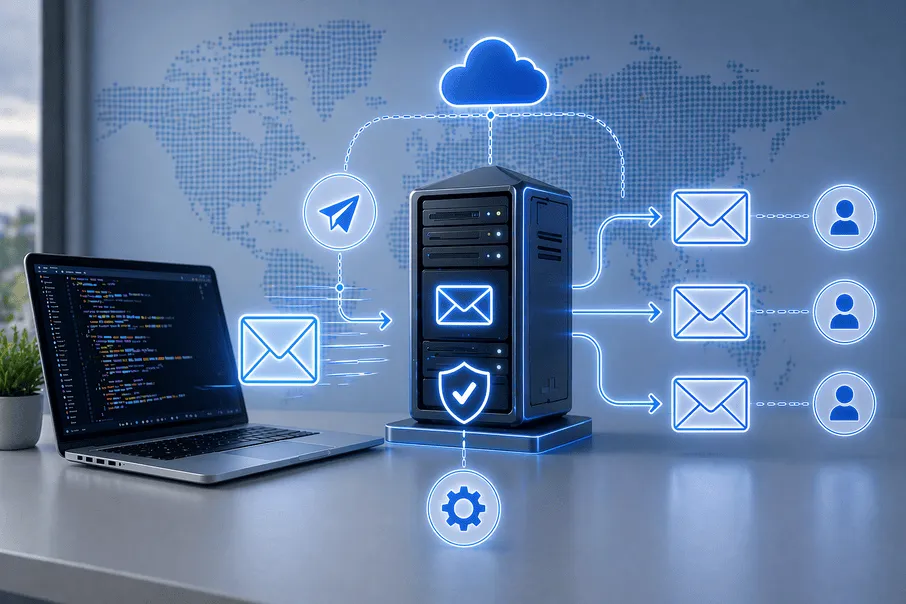
Email is still the backbone of communication—but managing it securely has become increasingly complex. From spam floods to phishing attacks and misrouted emails, users face constant risks when handling multiple inboxes or forwarding messages across systems.
If you're new to forwarding, it's important to first understand the basics of how it works. You can explore this in detail here: How Email Forwarding Works
Many people set up email forwarding without understanding how SMTP works behind the scenes. This leads to broken delivery, security vulnerabilities, and poor email performance.
The solution? Mastering SMTP email forwarding with proper rules and secure configuration.
What is SMTP Email Forwarding?
Understanding SMTP Protocol
SMTP (Simple Mail Transfer Protocol) is the backbone of email delivery. It’s responsible for sending emails from one server to another until they reach the recipient.
Whenever you send an email:
- SMTP connects to the recipient’s mail server
- It verifies the sender’s credentials
- It transfers the email securely
Without SMTP, emails wouldn’t move across the internet.
To understand the fundamentals of forwarding, check: What is Email Forwarder
What is Email Forwarding?
Email forwarding is a feature that automatically redirects incoming emails from one address to another. It’s widely used to:
- Manage multiple email accounts
- Centralize communication
- Automate workflows
For example, emails sent to a support address can be forwarded directly to a team inbox.
If you're comparing solutions, read: Disposable Email vs Email Forwarder
How SMTP Email Forwarding Works
SMTP email forwarding combines the delivery power of SMTP with rule-based routing.
Here’s a simple breakdown:
- A sender sends an email
- SMTP processes and routes it
- A forwarding rule is triggered
- The email is redirected to another address
- The recipient receives the forwarded message
This system ensures emails are delivered efficiently—even across multiple accounts or systems.
For a deeper explanation: How Email Forwarding Works
Benefits of SMTP Email Forwarding
Centralized Email Management
Managing multiple email accounts can be overwhelming. SMTP email forwarding allows you to route all emails into a single inbox, making it easier to track and respond to messages.
Enhanced Email Security
When properly configured, SMTP forwarding reduces risks such as:
- Unauthorized access
- Email spoofing
- Phishing attacks
To learn more about safety concerns: Is Email Forwarding Safe
Automation and Productivity
Forwarding rules automate email handling. You can:
- Route emails to specific teams
- Prioritize important messages
- Reduce manual effort
This is especially useful for businesses handling high volumes of emails.
Spam Reduction
Forwarding combined with filters helps isolate spam and protect your primary inbox.
Learn how to reduce spam effectively: Avoid Spam Emails
Scalability for Businesses
As your business grows, email forwarding helps manage communication across departments without complexity.
How to Set Up SMTP Email Forwarding (How to Use Your Tool)
Step 1: Choose an SMTP Server
Start by selecting a reliable SMTP provider such as Gmail, Outlook, or a custom server. Ensure it supports secure authentication and encryption.
Step 2: Configure SMTP Settings
You’ll need to enter:
- SMTP server address
- Port number (587 for TLS recommended)
- Username and password
- Encryption type (SSL/TLS)
This ensures secure email delivery.
Step 3: Create Email Forwarding Rules
Define rules based on:
- Sender address
- Subject keywords
- Conditions or filters
These rules determine how emails are routed.
Step 4: Enable Authentication (SPF, DKIM, DMARC)
Authentication is critical for secure email forwarding.
- SPF verifies sending servers
- DKIM signs emails
- DMARC prevents spoofing
For a complete guide: SPF DKIM DMARC Email Forwarding
Step 5: Test and Monitor
Before using your setup:
- Send test emails
- Check forwarding accuracy
- Monitor logs for errors
Step 6: Use Throwinbox for Smart Email Forwarding
Instead of managing everything manually, you can simplify your workflow using Throwinbox.
Learn how it works: How It Works
Create a temporary email instantly: How to Make Throwaway Email
Throwinbox helps you:
- Protect your primary inbox
- Avoid spam
- Securely forward emails
- Stay anonymous online
SMTP Configuration for Secure Email Forwarding
Enable SMTP Authentication
Always require authentication to prevent unauthorized access.
Use Secure Ports (TLS/SSL)
Use encrypted connections:
- TLS (Port 587)
- SSL (Port 465)
Avoid Open Forwarding
Open forwarding can expose your server to spam and attacks. Restrict access to trusted users only.
Monitor Email Activity
Regularly track:
- Delivery success rates
- Failed attempts
- Suspicious behavior
For advanced configurations: Temporary Email for Developers
Common SMTP Email Forwarding Issues
Emails Not Forwarding
This usually happens due to incorrect rules. Always verify your filters and conditions.
Authentication Errors
Incorrect credentials or disabled SMTP authentication can cause failures.
Spam Filtering Issues
If your emails are flagged as spam, ensure SPF, DKIM, and DMARC are properly configured.
Delayed Email Delivery
This can be caused by server performance issues or incorrect settings.
SMTP Relay vs Email Forwarding
What is SMTP Relay?
SMTP relay allows a server to send emails on behalf of another server.
Key Differences
| Feature | SMTP Relay | Email Forwarding |
|---|---|---|
| Function | Sending emails | Redirecting emails |
| Usage | Outgoing mail | Incoming mail |
| Control | Server-level | Rule-based |
When to Use Each
- Use SMTP relay for sending emails
- Use forwarding for managing incoming messages
Tips to Optimize SMTP Email Forwarding
Use Temporary Emails for Privacy
Temporary emails are useful for:
- Signups
- OTP verification
- Public networks
Explore:
Keep Rules Simple
Avoid overly complex forwarding rules that can cause errors.
Monitor Deliverability
Track metrics like:
- Bounce rate
- Delivery rate
- Spam reports
Maintain Clean Email Lists
Remove inactive or invalid addresses to improve performance.
SMTP email forwarding is a powerful solution for managing email communication efficiently and securely. By understanding how SMTP works and applying proper forwarding rules, you can improve email delivery, reduce spam, and protect your inbox.
Whether you're an individual or a business, mastering SMTP email forwarding gives you better control, automation, and peace of mind.
CTA (Use Throwinbox)
Looking for a simple and secure way to manage email forwarding?
Start using Throwinbox today.
Explore more:
Start using Throwinbox today and Take control of your inbox with secure and flexible email forwarding.
Frequently asked questions
Straightforward answers about safety, OTPs, how long inboxes last, recovery, and legality.
What is SMTP email forwarding?
SMTP email forwarding is the process of delivering emails via SMTP while automatically redirecting them using predefined rules.
How does SMTP work in email forwarding?
SMTP handles the sending of emails, while forwarding rules determine where the email is redirected.
Is email forwarding secure?
Yes, when configured with proper authentication.
Why does email forwarding fail?
Common reasons include incorrect rules, authentication issues, or spam filters.
How to secure email forwarding rules?
Use strong passwords, enable authentication, and limit forwarding permissions.
What is SMTP relay?
SMTP relay is used for sending emails, while forwarding is used for redirecting incoming emails.
What is the difference between email forwarding and email aliasing?
Email forwarding redirects emails to another inbox, while aliasing allows multiple email addresses to exist under a single mailbox without forwarding.
Is SMTP email forwarding safe for sensitive information?
It can be safe if encryption (TLS/SSL) and authentication (SPF, DKIM, DMARC) are properly implemented. Otherwise, sensitive data may be at risk.
Can I use SMTP email forwarding for business emails?
Yes, businesses widely use SMTP email forwarding to manage communication across departments, automate workflows, and ensure no important emails are missed.
Does email forwarding work with all email providers?
Most major providers like Gmail and Outlook support forwarding, but features and limitations may vary depending on the provider.