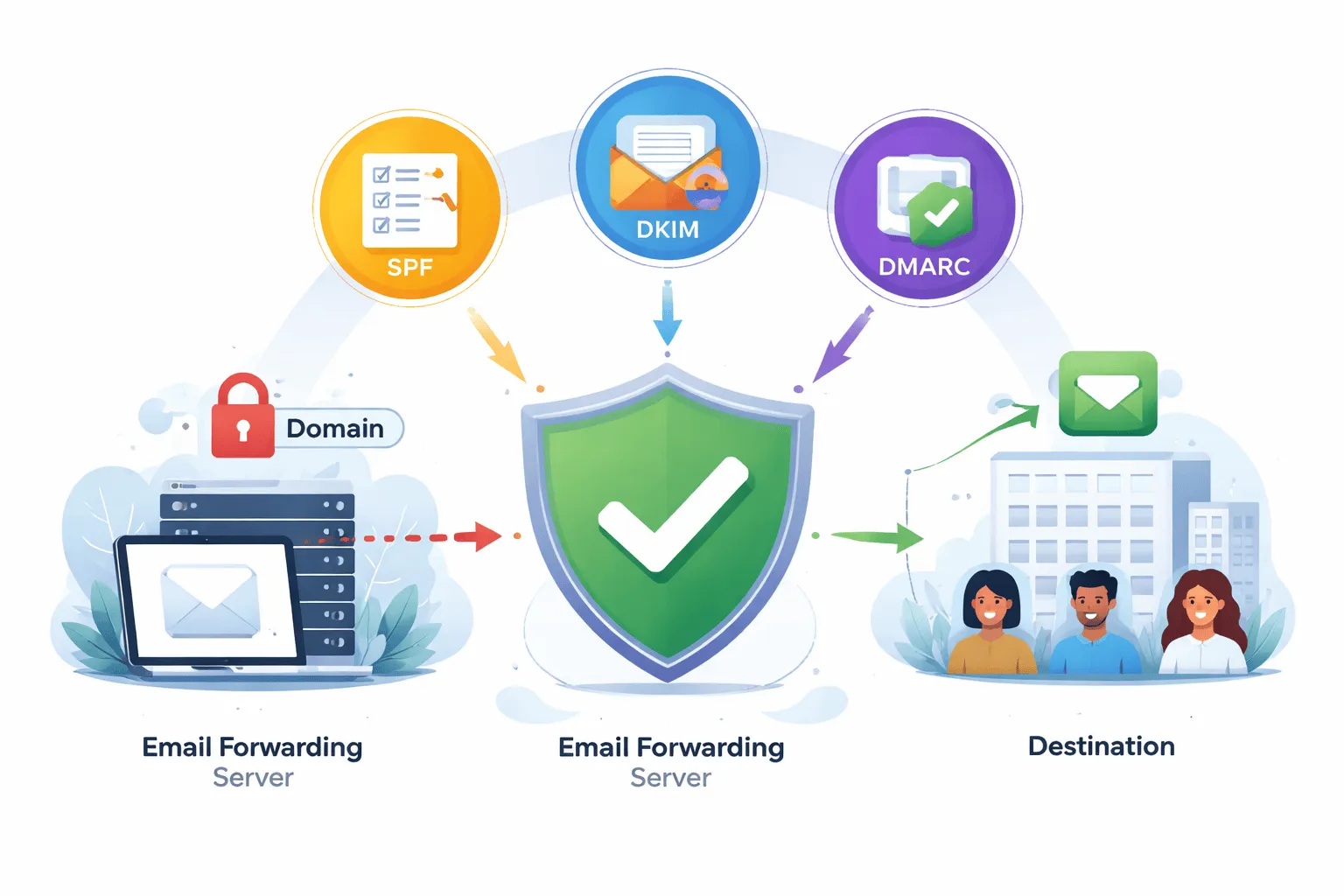
SPF، DKIM، اور DMARC: فارورڈرز کے لیے ای میل کی توثیق کی وضاحت کی گئی
ای میل فارورڈنگ طاقتور ہے لیکن یہ پوشیدہ خطرات کے ساتھ آتا ہے۔
جب ای میلز کو ایک ایڈریس سے دوسرے ایڈریس پر بھیج دیا جاتا ہے، تو تصدیق ٹوٹ سکتی ہے۔ پیغامات سیکیورٹی چیک میں ناکام ہو سکتے ہیں، سپیم فولڈرز میں اتر سکتے ہیں، یا مکمل طور پر مسترد بھی ہو سکتے ہیں۔ بنیادی باتوں کو سمجھنے کے لیے، آپ دریافت کر سکتے ہیں کہ ای میل فارورڈنگ کیسے کام کرتی ہے اور آیا ای میل فارورڈنگ محفوظ ہے۔
بہت سے کاروبار SPF DKIM DMARC سیٹ اپ کے ساتھ جدوجہد کرتے ہیں، خاص طور پر جب فارورڈنگ سسٹمز کے لیے ای میل کی تصدیق کے ساتھ کام کرتے ہیں۔ یہ اکثر غریب ڈیلیوریبلٹی اور سیکورٹی کے خطرات کی طرف جاتا ہے.
یہیں سے SPF، DKIM، اور DMARC آتے ہیں۔
ای میل کی توثیق کے یہ طریقے اس بات کو یقینی بناتے ہیں کہ آگے بھیجی گئی ای میلز قابل اعتماد، محفوظ اور قابل ترسیل رہیں۔ صحیح طریقے سے ترتیب دینے پر، وہ آپ کے ڈومین کی حفاظت کرتے ہیں، ان باکس کی جگہ کو بہتر بناتے ہیں، اور کاروباری ای میل کی توثیق کو مضبوط بناتے ہیں۔
SPF، DKIM، اور DMARC کو سمجھنا: ای میل کی توثیق کیسے کام کرتی ہے
ای میل کی توثیق محفوظ ای میل کی ترسیل کی ریڑھ کی ہڈی ہے۔ یہ تصدیق کرتا ہے کہ ای میلز جائز ذرائع سے بھیجے گئے ہیں اور ٹرانزٹ میں تبدیل نہیں کیے گئے ہیں۔ اگر آپ نئے ہیں تو چیک کریں ای میل فارورڈر کیا ہے اور ڈسپوزایبل ای میل بمقابلہ ای میل فارورڈر۔
SPF (مرسلہ پالیسی فریم ورک) کیا ہے؟
SPF ایک DNS پر مبنی توثیق کا طریقہ ہے جو اس بات کی وضاحت کرتا ہے کہ کن میل سرورز کو آپ کے ڈومین کی جانب سے ای میلز بھیجنے کی اجازت ہے۔
ایس پی ایف کیسے کام کرتا ہے:
- آپ اپنے ڈومین DNS میں SPF ریکارڈ شائع کرتے ہیں۔
- اس میں منظور شدہ بھیجنے والے سرورز کی فہرست ہے۔
- وصول کرنے والے سرور بھیجنے والے کی تصدیق کرتے ہیں۔
فارورڈنگ کا مسئلہ:
یہ SPF فیل فارورڈنگ کی ایک عام وجہ ہے، جہاں ای میلز کی توثیق ناکام ہوجاتی ہے کیونکہ فارورڈنگ سرور مجاز نہیں ہے۔
DKIM (DomainKeys شناخت شدہ میل) کیا ہے؟
DKIM پیغام کی سالمیت کو یقینی بنانے کے لیے ای میلز میں ڈیجیٹل دستخط شامل کرتا ہے۔
یہ کیوں اہم ہے:
DKIM DKIM توثیق ای میل تصدیق کو سپورٹ کرتا ہے، جو آگے بھیجنے کے بعد بھی درست رہتا ہے۔
DMARC (ڈومین پر مبنی پیغام کی تصدیق، رپورٹنگ اور موافقت) کیا ہے؟
DMARC SPF اور DKIM پر بناتا ہے اور بھیجنے والے اور ڈومین کے درمیان مناسب DMARC سیدھ کو یقینی بناتا ہے۔
یہ مدد کرتا ہے:
- پالیسیوں کو نافذ کریں۔
- جعل سازی کو روکیں۔
- ای میل کے اعتماد کو بہتر بنائیں
DMARC رپورٹس بھی فراہم کرتا ہے تاکہ آپ کو ای میل کی تصدیق کے طریقوں کو مؤثر طریقے سے مانیٹر کرنے میں مدد ملے۔
ای میل فارورڈنگ تصدیق کو کیوں توڑ دیتی ہے۔
فارورڈنگ کا سبب بن سکتا ہے:
- ایس پی ایف کی ناکامیاں
- DMARC کی غلط ترتیب
- ای میلز اسپام میں جا رہی ہیں۔
یہی وجہ ہے کہ بہت سے صارفین پوچھتے ہیں: ای میلز فارورڈ کرنے کے بعد اسپام میں کیوں جاتی ہیں۔
حل میں شامل ہیں:
- DKIM پر دستخط کرنا
- DMARC پالیسیاں
- درست تصدیق کا سیٹ اپ
ای میل فارورڈنگ کے لیے SPF، DKIM، اور DMARC کے فوائد
1. بہتر ای میل ڈیلیوریبلٹی
توثیق ای میل کی ترسیل کو بہتر بنانے میں مدد کرتی ہے اور پیغامات ان باکسز تک پہنچنے کو یقینی بناتی ہے۔
2. جعل سازی کے خلاف تحفظ
آپ کے ڈومین کے غیر مجاز استعمال کو روکتا ہے۔
3. مضبوط ڈومین ای میل تحفظ
ڈومین ای میل تحفظ کو یقینی بناتا ہے اور اعتماد پیدا کرتا ہے۔
4. سپیم کے مسائل میں کمی
اسپام ای میلز سے بچنے کے لیے حکمت عملیوں کے ساتھ تصدیق کا استعمال کریں۔
5. بہتر کاروباری ای میل سیکیورٹی
کاروبار کے لیے ای میل سیکیورٹی اور محفوظ مواصلت کو سپورٹ کرتا ہے۔
6. قابل اعتماد فارورڈنگ سسٹم
ڈیلیوری کے مسائل کے بغیر محفوظ ای میل فارورڈنگ کو یقینی بناتا ہے۔
اپنے ٹول (تھروئن باکس) کے ساتھ ای میل کی توثیق کا استعمال کیسے کریں
کاروبار کے لیے ای میل فارورڈنگ جیسے سسٹمز کے لیے تصدیق کو ترتیب دینا ضروری ہے۔
مرحلہ 1: اپنا ڈومین کنفیگر کریں۔
DNS کی ترتیبات تک رسائی حاصل کریں اور ای میل ڈومین کی توثیق کی تیاری کریں۔
مرحلہ 2: SPF ریکارڈ مرتب کریں۔
شامل کریں: v=spf1 میں شامل ہیں:_spf.google.com ~ تمام (جی میل کے لیے) v=spf1 میں شامل ہیں:spf.protection.outlook.com ~ تمام (آؤٹ لک کے لیے)
یہ جعل سازی کو روکنے میں مدد کرتا ہے اور ایس پی ایف فیل فارورڈنگ مسائل کو ٹھیک کرتا ہے۔
مرحلہ 3: DKIM کو فعال کریں۔
محفوظ ای میل کنفیگریشن کے لیے DKIM سائننگ کو فعال کریں۔
مرحلہ 4: DMARC کو ترتیب دیں۔
شامل کریں: v=DMARC1؛ p = کوئی نہیں؛ rua=mailto:reports@yourdomain.com
اس سے DMARC پالیسی کے نفاذ کی نگرانی اور بہتری میں مدد ملتی ہے۔
مرحلہ 5: فارورڈنگ کو بہتر بنائیںحقیقی دنیا کے سیٹ اپ استعمال کریں جیسے:
مرحلہ 6: نگرانی اور بہتری
رپورٹس کو ٹریک کریں اور مسائل کو حل کریں جیسے:
- تصدیق کی ناکامی
- سپیم کی ترسیل
- صف بندی کے مسائل
ای میل کی توثیق کو بہتر بنانے کے لیے نکات
1. فارورڈنگ کے لیے DKIM استعمال کریں۔
قابل اعتماد کو آگے بڑھانے کا بہترین طریقہ۔
2. SPF کے مسائل کو جلد ٹھیک کریں۔
ڈیلیوری کے مسائل سے بچنے کے لیے **SPF کی ناکامی کو ٹھیک کرنے کا طریقہ سیکھیں۔
3. DMARC مانیٹرنگ کے ساتھ شروع کریں۔
پہلے p=none استعمال کریں۔
4. ڈومین کی سیدھ کو یقینی بنائیں
DMARC چیک پاس کرنے کے لیے اہم۔
5. ای میل ڈیلیوریبلٹی کو بہتر بنائیں
DNS اور تصدیق کی ترتیبات کو بہتر بنائیں۔
6. عرفی نام استعمال کریں۔
آن لائن سائن اپس کے لیے ای میل عرفی نام استعمال کریں۔
7. باقاعدگی سے آڈٹ کریں۔
اپنا ای میل کی تصدیق کے سیٹ اپ کو اپ ڈیٹ رکھیں۔
CTA: Throwinbox کے ساتھ اپنی ای میل فارورڈنگ کو محفوظ بنائیں
شروع کرنے سے پہلے، دریافت کریں ایک پھینکنے والا ای میل کیسے بنایا جائے یا آن لائن سروے کے لیے عارضی ای میل۔
مناسب سیٹ اپ کے ساتھ، آپ محفوظ، قابل اعتماد، اور قابل توسیع ای میل سسٹم حاصل کر سکتے ہیں۔
تھروئن باکس اسے آسان بناتا ہے:
- سادہ DNS سیٹ اپ
- بلٹ ان تصدیقی ٹولز
- محفوظ فارورڈنگ
- توسیع پذیر حل
آج ہی Throwinbox کا استعمال شروع کریں اور اپنے ای میل کی توثیق کا کنٹرول سنبھال لیں۔
اکثر پوچھے گئے سوالات
تحفظ، OTP، میعاد، بازیافت اور قانونی حیثیت کے بارے میں سیدھے جواب۔
SPF، DKIM، اور DMARC کیا ہیں؟
SPF، DKIM، اور DMARC ای میل کی توثیق کے طریقے ہیں جو بھیجنے والے کی شناخت کی تصدیق کرتے ہیں اور ای میلز کو جعل سازی سے بچاتے ہیں۔
SPF فارورڈنگ میں کیوں ناکام ہوتا ہے؟
SPF ناکام ہو جاتا ہے کیونکہ فارورڈنگ سرورز SPF ریکارڈز میں شامل نہیں ہوتے ہیں، جس کی وجہ سے تصدیقی مسائل ہوتے ہیں۔
میں SPF کی ناکامی کو کیسے ٹھیک کروں؟
SPF کی ناکامی کو ٹھیک کرنے کے لیے، اپنا SPF ریکارڈ اپ ڈیٹ کریں اور بھیجنے والے تمام مجاز سرورز کو شامل کریں۔
کیا DKIM فارورڈنگ کے ساتھ کام کرتا ہے؟
ہاں، DKIM درست رہتا ہے کیونکہ یہ پیغام کی سالمیت کی تصدیق کرتا ہے۔
DMARC سیدھ کیا ہے؟
DMARC سیدھ اس بات کو یقینی بناتی ہے کہ بھیجنے والے کا ڈومین تصدیق کے نتائج سے میل کھاتا ہے۔
آگے بھیجی گئی ای میلز اسپام میں کیوں جاتی ہیں؟
یہ توثیق میں ناکامی یا غلط ترتیب کے مسائل کی وجہ سے ہوتا ہے۔
میں ای میل کی ترسیل کو کیسے بہتر بنا سکتا ہوں؟
قابل اعتماد ترسیل کو یقینی بنانے کے لیے SPF، DKIM، DMARC، اور مناسب ترتیب کا استعمال کریں۔
کیا کاروبار کے لیے ای میل کی تصدیق ضروری ہے؟
ہاں، یہ کاروباری ای میل کی توثیق اور سیکیورٹی کے لیے ضروری ہے۔