تعارف
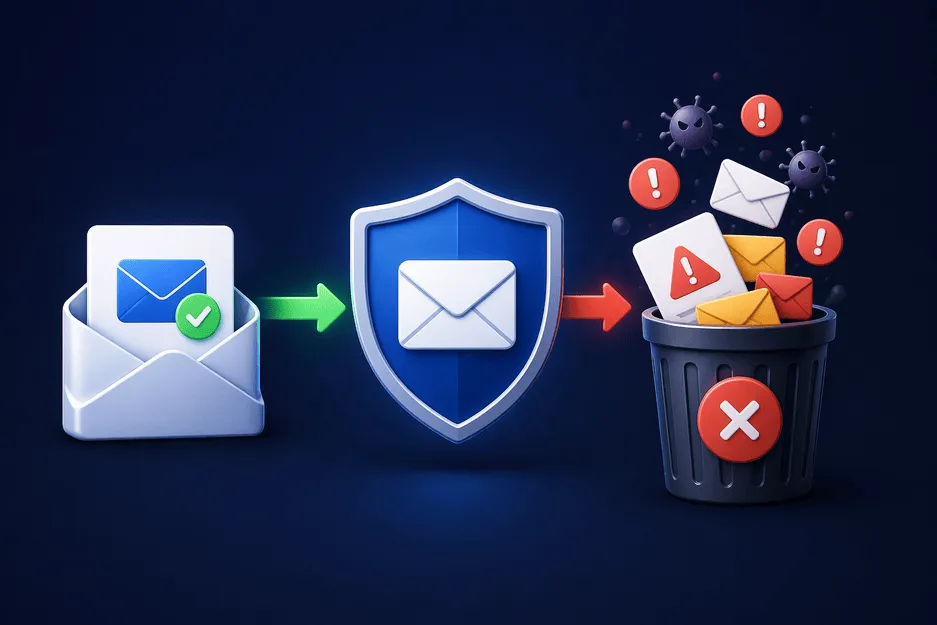
اسپام ای میلز صرف ایک جھنجھلاہٹ سے زیادہ ہیں - یہ روزانہ کی رکاوٹ ہیں۔ لامتناہی پروموشنل پیغامات سے لے کر مشکوک لنکس اور فشنگ کی کوششوں تک، آپ کا ان باکس تیزی سے ایک بے ترتیبی میں بدل سکتا ہے۔ وقت گزرنے کے ساتھ، اس سے نہ صرف آپ کا وقت ضائع ہوتا ہے بلکہ کسی نقصان دہ چیز پر کلک کرنے کا خطرہ بھی بڑھ جاتا ہے۔
مسئلہ کی جڑ آسان ہے: جب بھی آپ اپنے ای میل ایڈریس کو آن لائن شیئر کرتے ہیں، آپ ناپسندیدہ مواصلت کا دروازہ کھول دیتے ہیں۔ بہت سی ویب سائٹس ای میل ڈیٹا کو اسٹور، شیئر، یا یہاں تک کہ بیچتی ہیں، جس سے اسپام کی بھرمار ہوتی ہے۔
اچھی خبر؟ آپ کو اسے معمول کے طور پر قبول کرنے کی ضرورت نہیں ہے۔
سمارٹ حکمت عملیوں کا استعمال کرتے ہوئے—جیسے کہ آپ اپنے ای میل کو کہاں شیئر کرتے ہیں کو محدود کرنا اور ٹیمپ میل یا ڈسپوزایبل میل جیسے ٹولز کا استعمال کرکے—آپ اسپام کو نمایاں طور پر کم کر سکتے ہیں اور اپنے ان باکس پر دوبارہ کنٹرول حاصل کر سکتے ہیں۔
اس گائیڈ میں، آپ یہ سیکھیں گے کہ سپیم ای میلز سے کیسے بچنا ہے، اپنی رازداری کی حفاظت کرنا ہے، اور اپنے ان باکس کو صاف رکھنا ہے۔
یہ سمجھنا کہ اسپام ای میلز کہاں سے آتی ہیں۔
اس سے پہلے کہ آپ اسپام کو مؤثر طریقے سے روک سکیں، آپ کو یہ سمجھنا ہوگا کہ یہ کیسے شروع ہوتا ہے۔
1. متعدد ویب سائٹس پر سائن اپ کرنا
ہر سائن اپ فارم جو آپ پُر کرتے ہیں آپ کی نمائش کو بڑھاتا ہے۔ یہاں تک کہ جائز ویب سائٹیں بھی بار بار پروموشنل ای میلز بھیج سکتی ہیں یا شراکت داروں کے ساتھ آپ کا ڈیٹا شیئر کر سکتی ہیں۔
2. ڈیٹا کی خلاف ورزیاں
اگر آپ کا ای میل اسٹور کرنے والی کمپنی ہیک ہوجاتی ہے، تو آپ کا پتہ اسپام ڈیٹا بیس میں ختم ہوسکتا ہے۔
3. عوامی طور پر اشتراک کردہ ای میل پتے
اپنے ای میل کو فورمز، سوشل میڈیا یا ویب سائٹس پر پوسٹ کرنا بوٹس کے لیے اسے جمع کرنا آسان بناتا ہے۔
4. ای میل ہارویسٹنگ بوٹس
خودکار ٹولز انٹرنیٹ کو اسکین کرتے ہیں جو ہدف کے لیے ای میل پتوں کی تلاش میں ہیں۔
5. نیوز لیٹرز کو سبسکرائب کرنا
بعض اوقات، ایک رکنیت متعدد میلنگ لسٹوں کی طرف لے جاتی ہے جس کے لیے آپ نے سائن اپ نہیں کیا تھا۔
سپیم ای میلز سے بچنے کے مؤثر طریقے
اب آئیے عملی حصے میں آتے ہیں - اصل میں کیا کام کرتا ہے۔
1. سائن اپس کے لیے عارضی ای میل استعمال کریں۔
سب سے زیادہ مؤثر حکمت عملیوں میں سے ایک یہ ہے کہ آپ اپنے اصلی کی بجائے عارضی ای میل کا استعمال کریں۔
ایک عارضی ای میل جنریٹر آپ کو ایک مختصر مدت کا پتہ دیتا ہے جسے آپ استعمال کر سکتے ہیں:
- ایک بار سائن اپ
- ڈاؤن لوڈز
- مفت ٹرائلز
اس طرح، سپیم کبھی بھی آپ کے مرکزی ان باکس تک نہیں پہنچتا۔
یہ طریقہ استعمال کے طور پر بھی جانا جاتا ہے:
ڈسپوزایبل میل پھینکنے والا ای میل برنر میل بے ترتیب ای میل جعلی میل
2. اپنی اصلی ای میل کو ہر جگہ شیئر کرنے سے گریز کریں۔
اس بارے میں انتخاب کریں کہ آپ اپنا ذاتی ای میل کہاں استعمال کرتے ہیں۔
اپنے آپ سے پوچھیں:
- کیا میں اس ویب سائٹ پر بھروسہ کرتا ہوں؟
- کیا میں اس سروس کو طویل مدتی استعمال کروں گا؟
اگر جواب نفی میں ہے تو اس کے بجائے جعلی ای میل جنریٹر یا بے ترتیب ای میل جنریٹر استعمال کریں۔
3. متعدد ای میل پتے استعمال کریں۔
اپنے ای میل کے استعمال کو تقسیم کریں:
- بنیادی ای میل → ذاتی اور اہم اکاؤنٹس
- ثانوی ای میل → سبسکرپشنز اور نیوز لیٹر
- عارضی میل → ایک بار استعمال
یہ پرتوں والا نقطہ نظر خطرے کو کم کرتا ہے۔
4. ناپسندیدہ ای میلز سے ان سبسکرائب کریں۔
اگر آپ کو بہت زیادہ ای میلز موصول ہو رہی ہیں:
- "ان سبسکرائب" کا لنک استعمال کریں۔
- ای میلز کو اسپام کے بطور نشان زد کریں۔
وقت گزرنے کے ساتھ، یہ ای میل فراہم کرنے والوں کو ناپسندیدہ پیغامات کو فلٹر کرنے میں مدد کرتا ہے۔
5. کبھی بھی مشکوک لنکس پر کلک نہ کریں۔
سپیم ای میلز میں اکثر فشنگ لنکس ہوتے ہیں۔
اجتناب:
- نامعلوم لنکس پر کلک کرنا
- نامعلوم بھیجنے والوں سے منسلکات ڈاؤن لوڈ کرنا
- مشکوک ای میلز کا جواب دینا
6. ای میل فلٹرز اور سپیم پروٹیکشن استعمال کریں۔
زیادہ تر ای میل فراہم کرنے والے بلٹ ان فلٹرز پیش کرتے ہیں۔
آپ کر سکتے ہیں:
- سپیم کو خود بخود الگ فولڈر میں منتقل کریں۔
- مخصوص بھیجنے والوں کو مسدود کریں۔
- کچھ مطلوبہ الفاظ کے لیے اصول بنائیں
7. اپنا ای میل عوامی طور پر پوسٹ کرنے سے گریز کریں۔
اگر آپ کو اپنا ای میل آن لائن شیئر کرنے کی ضرورت ہے:
- فارمیٹس کا استعمال کریں جیسے "name [at] domain [dot] com"
- یا عارضی ای میل جنریٹر استعمال کریں
8. مفت آفرز سے محتاط رہیں
"مفت" اکثر آپ کے ای میل ایڈریس کی قیمت پر آتا ہے۔
اپنی اصلی ای میل استعمال کرنے کے بجائے، ایسی پیشکشوں کے لیے تھرووے ای میل استعمال کریں۔
9. ای میل فارورڈر استعمال کریں۔
ایک ای میل فارورڈر درمیانی پرت کے طور پر کام کر سکتا ہے۔
یہ آپ کو اجازت دیتا ہے:
- اپنا اصلی پتہ ظاہر کیے بغیر ای میلز وصول کریں۔
- کنٹرول کریں کہ کون سی ای میلز آپ کے مرکزی ان باکس تک پہنچتی ہیں۔
thowinbox.com اضافی لچک کے لیے عارضی میل فارورڈنگ کو بھی سپورٹ کرتا ہے۔
10. باقاعدگی سے اپنے ان باکس کو صاف کریں۔
احتیاطی تدابیر کے ساتھ بھی، کچھ فضول گزر جائیں گے۔
اسے عادت بنائیں:
- ناپسندیدہ ای میلز کو حذف کریں۔
- سپیم فولڈرز کو صاف کریں۔
- سبسکرپشنز کا جائزہ لیں۔
سپیم ای میلز سے بچنے کے فوائد
اسپام کو کم کرنا صرف سہولت کے بارے میں نہیں ہے — یہ آپ کے مجموعی ڈیجیٹل تجربے کو بہتر بناتا ہے۔
1. بہتر پیداواری صلاحیتایک صاف ان باکس اہم پیغامات پر توجہ مرکوز کرنے میں آپ کی مدد کرتا ہے۔
2. بہتر سیکیورٹی
کم اسپام کا مطلب ہے کہ فشنگ حملوں کی زد میں آنے کے کم امکانات۔
3. بہتر رازداری
ڈسپوزایبل میل کا استعمال آپ کی شناخت کی حفاظت کرتا ہے۔
4. تیز تر ای میل مینجمنٹ
آپ فضول کے ذریعے چھانٹنے میں کم وقت صرف کرتے ہیں۔
5. تناؤ میں کمی
منظم ان باکس کا انتظام کرنا ذہنی طور پر آسان ہے۔
سپیم سے بچنے کے لیے ڈسپوز ایبل میل کا استعمال کیسے کریں۔
مرحلہ 1: ThrowInbox ملاحظہ کریں۔
ThrowInbox ویب سائٹ کھولیں۔
مرحلہ 2: ایک عارضی ای میل بنائیں
ایک عارضی ای میل جنریٹر فوری طور پر ایک منفرد پتہ بنائے گا۔
مرحلہ 3: اسے خطرناک یا نامعلوم سائٹس کے لیے استعمال کریں۔
جب بھی آپ کو کسی ویب سائٹ کے بارے میں یقین نہ ہو، اپنے حقیقی ای میل کے بجائے اپنا ٹیمپ میل استعمال کریں۔
مرحلہ 4: محفوظ طریقے سے ای میلز وصول کریں۔
تصدیقی ای میلز اور لنکس آپ کے ان باکس میں فوری طور پر ظاہر ہوں گے۔
مرحلہ 5: اسے ختم ہونے دیں۔
ایک بار مکمل ہوجانے کے بعد، ای میل پتہ خود بخود حذف ہوجاتا ہے — کسی بھی اسپام کے ساتھ۔
طویل مدتی اسپام سے پاک رہنے کے لیے نکات
1. شئیر کرنے سے پہلے سوچ لیں۔
آپ کا ای میل قیمتی ہے — اسے آسانی سے نہ دیں۔
2. عارضی ای میل کثرت سے استعمال کریں۔
ایک برنر | عارضی ای میل جنریٹر سپیم کے خلاف آپ کا بہترین دفاع ہے۔
3. اپنا مرکزی ای میل نجی رکھیں
اسے صرف بھروسہ مند رابطوں اور خدمات کے لیے محفوظ کریں۔
4. گھوٹالوں پر اپ ڈیٹ رہیں
اسپام کے حربے تیار ہوتے ہیں — آگاہ رہیں۔
5. تمام سائٹس پر ای میلز کو دوبارہ استعمال کرنے سے گریز کریں۔
ٹریکنگ کو کم سے کم کرنے کے لیے بے ترتیب ای میلز کا استعمال کریں۔
کال ٹو ایکشن (CTA)
سپیم ای میلز کو آپ کی روزمرہ کی زندگی کا حصہ نہیں ہونا چاہیے۔
صحیح عادات اور ٹولز کے ساتھ، آپ اپنے ان باکس کو صاف، محفوظ اور تناؤ سے پاک رکھ سکتے ہیں۔
ThrowInbox آپ کو محفوظ، گمنام، اور ڈسپوزایبل ای میل پتوں تک فوری رسائی فراہم کرتا ہے۔ چاہے آپ کو عارضی ای میل، ایک برنر میل، یا فوری فراہم کرنے والے ای میل کی ضرورت ہو، یہ آن لائن محفوظ رہنے کا سب سے آسان طریقہ ہے۔
آج ہی ThrowInbox کا استعمال شروع کریں اور اپنے ان باکس کا کنٹرول حاصل کریں—ایک بار اور ہمیشہ کے لیے۔
اکثر پوچھے گئے سوالات
تحفظ، OTP، میعاد، بازیافت اور قانونی حیثیت کے بارے میں سیدھے جواب۔
سپیم ای میلز سے بچنے کا آسان ترین طریقہ کیا ہے؟
سائن اپ کے لیے عارضی ای میل کا استعمال سب سے مؤثر طریقوں میں سے ایک ہے۔
کیا ڈسپوزایبل ای میلز محفوظ ہیں؟
ہاں، ڈسپوزایبل میل عام استعمال جیسے سائن اپ اور تصدیق کے لیے محفوظ ہے۔
کیا سپیم ای میلز کو مکمل طور پر روکا جا سکتا ہے؟
مکمل طور پر نہیں، لیکن صحیح طریقوں سے انہیں نمایاں طور پر کم کیا جا سکتا ہے۔
پھینکنے والا ای میل کیا ہے؟
مختصر مدت کے مقاصد کے لیے استعمال ہونے والے عارضی ای میل ایڈریس کا صرف ایک اور نام ہے پھینکنے والا ای میل۔
بے ترتیب ای میل جنریٹر کس طرح مدد کرتا ہے؟
ایک بے ترتیب ای میل جنریٹر منفرد پتے بناتا ہے، ٹریکنگ اور سپیم کی تعمیر کو روکتا ہے۔
کیا مجھے اسپام ای میلز سے رکنیت ختم کرنی چاہیے؟
ہاں، لیکن صرف معتبر ذرائع سے۔ مشکوک ای میلز کے لنکس پر کلک کرنے سے گریز کریں۔
جعلی ای میل اور عارضی ای میل میں کیا فرق ہے؟
ایک جعلی ای میل کام نہیں کر سکتی، جبکہ ایک عارضی ای میل فعال لیکن عارضی ہے۔
کیا میں اہم اکاؤنٹس کے لیے عارضی میل استعمال کر سکتا ہوں؟
نہیں، اہم اکاؤنٹس کے لیے برنر میل استعمال کرنے سے گریز کریں۔