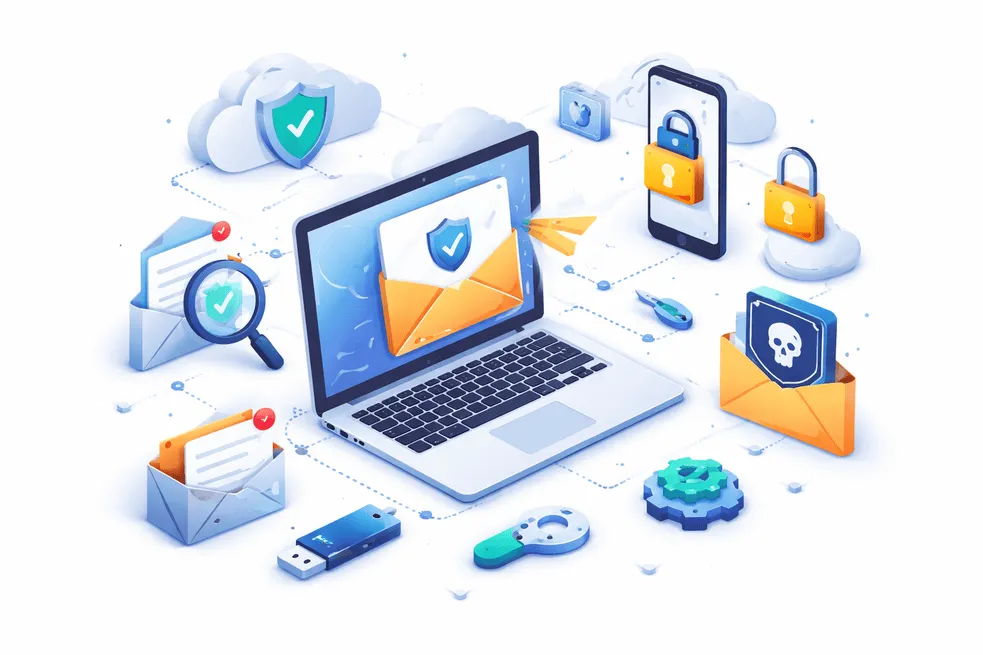
کیا ای میل فارورڈنگ محفوظ ہے؟ حفاظتی خطرات اور بہترین طرز عمل
جب بھی آپ کسی سروس کے لیے سائن اپ کرتے ہیں، آن لائن خریداری کرتے ہیں، یا عوامی وائی فائی سے جڑتے ہیں، آپ اپنا ای میل پتہ ظاہر کر رہے ہوتے ہیں۔ وقت گزرنے کے ساتھ، یہ سپیم، فشنگ کی کوششوں، اور یہاں تک کہ ڈیٹا کی خلاف ورزیوں کا باعث بنتا ہے۔
یہیں سے ای میل فارورڈنگ آتا ہے۔ یہ ایک صاف ستھرا ان باکس، بہتر تنظیم، اور یہاں تک کہ رازداری کے تحفظ کا وعدہ کرتا ہے۔ لیکن یہاں اصل سوال ہے:
کیا ای میل فارورڈنگ واقعی محفوظ ہے؟
جواب ہے: ہاں—لیکن صرف اس صورت میں جب آپ اسے صحیح طریقے سے استعمال کریں۔
اس گائیڈ میں، ہم ای میل فارورڈنگ کے کام کرنے کے طریقے، پوشیدہ خطرات جن کو زیادہ تر لوگ نظر انداز کرتے ہیں، اور آپ کے ان باکس کو محفوظ رکھنے کے بہترین طریقوں کو بیان کریں گے۔
ای میل فارورڈنگ کو سمجھنا: یہ کیسے کام کرتا ہے۔
ای میل فارورڈنگ ایک خصوصیت ہے جو آنے والی ای میلز کو خود بخود ایک ایڈریس سے دوسرے ایڈریس پر بھیج دیتی ہے۔
مثال کے طور پر:
contact@yourdomain.comپر بھیجی گئی ای میلز آپ کے ذاتی Gmail پر بھیجی گئیں۔- ثانوی ان باکس سے پیغامات → آپ کے بنیادی ان باکس میں بھیجے جاتے ہیں۔
یہ استعمال کرتے ہوئے کیا جا سکتا ہے:
*** ای میل فارورڈنگ سروسز**
- Gmail یا Outlook میں بلٹ ان خصوصیات
- حسب ضرورت ڈومین فارورڈنگ سیٹ اپ
ای میل فارورڈنگ کی اقسام
- دستی طور پر فارورڈنگ – آپ ای میلز خود آگے بھیجتے ہیں۔
- خودکار ای میل فارورڈنگ - قواعد فوری طور پر ای میل بھیجتے ہیں۔
- مشروط فارورڈنگ - صرف مخصوص پیغامات کو آگے بڑھاتے ہیں۔
لوگ ای میل فارورڈنگ کیوں استعمال کرتے ہیں۔
- متعدد ای میل اکاؤنٹس کا نظم کریں۔
- ان باکس کی بے ترتیبی کو کم کریں۔
- بنیادی ای میل کو نمائش سے بچائیں۔
- مواصلات کو مرکزی بنائیں
عارضی ای میل یا ای میل عرفی نام کے مقابلے میں، فارورڈنگ ایک درمیانی پرت کے طور پر کام کرتی ہے، نہ کہ ڈسپوزایبل شیلڈ۔
کیا ای میل فارورڈنگ محفوظ ہے؟ اصلی جواب
ای میل فارورڈنگ عام طور پر محفوظ ہوتی ہے — لیکن یہ سیکیورٹی کے خطرات کے ساتھ آتی ہے اگر مناسب طریقے سے ترتیب نہ دی گئی ہو۔
آئیے اسے توڑ دیں۔
ای میل فارورڈنگ کے سیکیورٹی خطرات
1. ڈیٹا میں مداخلت کا خطرہ
جب ای میلز آگے بھیجی جاتی ہیں، تو وہ متعدد سرور سے گزرتی ہیں۔ اگر انکرپشن کمزور ہے تو حساس ڈیٹا (جیسے OTPs یا لاگ ان لنکس) کو سامنے لایا جا سکتا ہے۔
- خطرہ بڑھ جاتا ہے جب:
- نامعلوم فارورڈنگ سروسز کا استعمال
- حساس ای میلز کو آگے بڑھانا (بینکنگ، پاس ورڈ)
2. انکرپشن پروٹیکشن کا نقصان
کچھ فارورڈ کردہ ای میلز آخر سے آخر تک خفیہ کاری سے محروم ہو سکتی ہیں، خاص طور پر جب:
- محفوظ پلیٹ فارمز سے کم محفوظ پلیٹ فارمز پر فارورڈ کرنا
- پرانی ای میل فارورڈنگ کنفیگریشنز کا استعمال
3. فشنگ ایمپلیفیکیشن
فارورڈنگ کے قوانین حادثاتی طور پر ہو سکتے ہیں:
- فشنگ ای میلز کو آگے بھیجیں۔
- متعدد ان باکسز میں بدنیتی پر مبنی لنکس پھیلائیں۔
یہ آپ کی نمائش کو کم کرنے کے بجائے بڑھاتا ہے۔
4. غلط کنفیگرڈ رولز
خودکار ای میل فارورڈنگ سیٹ اپ میں ایک عام مسئلہ یہ ہے:
فلٹر شدہ ای میلز کی بجائے تمام ای میلز کو آگے بڑھانا
- لوپس بنانا (ای میلز آگے پیچھے کرنا)
- غلط پتوں پر خفیہ ای میلز بھیجنا
5. رازداری کا رساو
اگر آپ فارورڈنگ کا غلط استعمال کرتے ہیں، تو آپ کا اصل ای میل ایڈریس اب بھی اس کے ذریعے سامنے آسکتا ہے:
- جوابی ہیڈرز
- ای میل میٹا ڈیٹا
- غلط کنفیگر کردہ عرفی نام
ای میل فارورڈنگ کے فوائد (جب محفوظ طریقے سے استعمال کیا جائے)
خطرات کے باوجود، ای میل فارورڈنگ طاقتور فوائد پیش کرتی ہے۔
1. ان باکس مینجمنٹ اور پیداواری صلاحیت
متعدد اکاؤنٹس چیک کرنے کے بجائے، فارورڈنگ آپ کی مدد کرتی ہے:
- مواصلات کو مرکزی بنائیں
- کبھی بھی اہم ای میلز کو مت چھوڑیں۔
- ان باکسز کو تبدیل کرنے میں خرچ ہونے والے وقت کو کم کریں۔
2. سپیم میں کمی
ای میل فارورڈنگ کو اسٹریٹجک طریقے سے استعمال کرنا:
- سپیم کو اپنے مرکزی ان باکس سے دور رکھیں
- ناپسندیدہ ای میلز کو خود بخود فلٹر کریں۔
- نمائش کو کنٹرول کرنے میں آپ کی مدد کریں۔
3. بہتر پرائیویسی کنٹرول
عارضی ای میل فارورڈنگ جیسے ٹولز کے ساتھ ملا کر، آپ یہ کر سکتے ہیں:
- اپنا اصلی ای میل ایڈریس چھپائیں۔
- مختلف خدمات کے لیے مختلف فارورڈنگ پتے استعمال کریں۔
- مارکیٹرز کے ذریعہ ٹریکنگ کو روکیں۔
4. متعدد اکاؤنٹس کے ساتھ لچک
فارورڈنگ کے لیے مثالی ہے:
- فری لانسرز کلائنٹس کا انتظام کرتے ہیں۔
- متعدد محکموں کو سنبھالنے والے کاروبار
- ڈویلپرز ای میل ورک فلو کی جانچ کر رہے ہیں۔
5. بیک اپ اور فالتو پن
اگر ایک ان باکس ناکام ہوجاتا ہے تو، آگے بھیجی گئی ای میلز یقینی بنائیں:
- ڈیٹا کا کوئی نقصان نہیں۔
- مواصلات تک مسلسل رسائی
ای میل فارورڈنگ کو محفوظ طریقے سے استعمال کرنے کا طریقہ (مرحلہ بہ قدم)
ای میل فارورڈنگ کو محفوظ بنانے کے لیے، اس بہترین سیٹ اپ پر عمل کریں:
مرحلہ 1: ایک قابل اعتماد ای میل فارورڈنگ سروس کا انتخاب کریں۔
نامعلوم ٹولز سے بچیں۔ تلاش کریں:
- مضبوط خفیہ کاری
- رازداری پر مبنی پالیسیاں
- کوئی ڈیٹا لاگنگ نہیں۔
مرحلہ 2: فلٹر پر مبنی فارورڈنگ کا استعمال کریں۔
سب کچھ آگے بھیجنے کے بجائے:* صرف اہم ای میلز کو آگے بھیجیں۔
- بھیجنے والے یا مضمون کی بنیاد پر قواعد بنائیں
مرحلہ 3: حساس ای میلز کو آگے بھیجنے سے گریز کریں۔
آگے مت بھیجیں:
- بینکنگ ای میلز
- پاس ورڈ ری سیٹ لنکس
- خفیہ دستاویزات
مرحلہ 4: عارضی ای میل کے ساتھ یکجا کریں۔
زیادہ سے زیادہ رازداری کے لیے:
- سائن اپس کے لیے عارضی ای میل استعمال کریں۔ اہم مواصلت کے لیے ای میل فارورڈنگ کا استعمال کریں۔
یہ ہائبرڈ نقطہ نظر سپیم اور خطرے کو کم کرتا ہے۔
مرحلہ 5: حفاظتی خصوصیات کو فعال کریں۔
ہمیشہ فعال کریں:
- دو عنصر کی توثیق (2FA)
- اسپام فلٹرز
- ای میل کی تصدیق کے انتباہات
مرحلہ 6: اپنے سیٹ اپ کی جانچ کریں۔
فارورڈنگ پر انحصار کرنے سے پہلے:
- ٹیسٹ ای میلز بھیجیں۔
- تاخیر یا ناکامیوں کی جانچ کریں۔
- درست روٹنگ کو یقینی بنائیں
محفوظ ای میل فارورڈنگ کے بہترین طریقے
اپنے سیٹ اپ کو محفوظ رکھنے کے لیے ثابت شدہ تجاویز یہ ہیں:
متعدد فارورڈنگ پتے استعمال کریں۔
ایک ای میل کے بجائے:
- مختلف پلیٹ فارمز کے لیے علیحدہ فارورڈنگ ای میلز بنائیں
- سپیم کے ذرائع کو ٹریک کرنے میں مدد کرتا ہے۔
پبلک وائی فائی کنفیگریشن سے گریز کریں۔
فارورڈنگ کے اصول کبھی بھی اس پر مرتب نہ کریں:
- ہوائی اڈے کا وائی فائی
- عوامی نیٹ ورکس
یہ حملوں کا شکار ہیں۔
باقاعدگی سے آڈٹ فارورڈنگ رولز
چیک کریں:
- فعال فارورڈنگ قواعد
- نامعلوم فارورڈنگ پتے
- مشکوک سرگرمی
کسٹم ڈومین فارورڈنگ کا استعمال کریں۔
آپ کا اپنا ڈومین استعمال کرنے سے یہ ملتا ہے:
- بہتر کنٹرول
- پیشہ ورانہ سیٹ اپ
- بہتر سیکیورٹی
غیر استعمال شدہ فارورڈنگ رولز کو غیر فعال کریں۔
پرانے اصول کمزوریاں بن سکتے ہیں۔ انہیں ہمیشہ ہٹا دیں۔
فارورڈ کردہ ای میلز کی نگرانی کریں۔
کے لیے دیکھیں:
- ڈپلیکیٹ ای میلز
- گمشدہ پیغامات
- مشکوک فارورڈنگ رویہ
ای میل فارورڈنگ بمقابلہ رازداری کے دیگر ٹولز
کلیدی لفظ کینبالائزیشن سے بچنے کے لیے، یہاں ایک واضح فرق ہے:
| ٹول | مقصد | بہترین استعمال |
|---|---|---|
| ای میل فارورڈنگ | ری ڈائریکٹ ای میلز | ان باکس مینجمنٹ |
| عارضی ای میل | ڈسپوزایبل ان باکس | گمنام سائن اپس |
| ای میل عرف | ماسک ای میل شناخت | طویل مدتی رازداری |
بہترین نتائج کے لیے ای میل فارورڈنگ + عارضی میل ایک ساتھ استعمال کریں۔
کیا آپ کو ای میل فارورڈنگ کا استعمال کرنا چاہیے؟
ای میل فارورڈنگ ایک طاقتور ٹول ہے — لیکن خود پرائیویسی کا مکمل حل نہیں۔
- اگر غلط استعمال کیا جائے تو یہ آپ کے ڈیٹا کو بے نقاب کر سکتا ہے۔
- اگر ہوشیاری سے استعمال کیا جائے تو یہ **آپ کی ای میل سیکیورٹی اور پیداواری صلاحیت کو بدل سکتا ہے۔
کلید توازن ہے:
- تنظیم کے لیے فارورڈنگ کا استعمال کریں۔
- رازداری کے لیے عارضی ای میل استعمال کریں۔
- سخت حفاظتی طریقوں کا اطلاق کریں۔
CTA: Throwinbox کے ساتھ اپنے ان باکس کی حفاظت کریں۔
اپنے اصلی ان باکس کو ظاہر کیے بغیر ای میلز کا نظم کرنے کا سب سے محفوظ طریقہ چاہتے ہیں؟
تھروئن باکس آپ کی مدد کرتا ہے:
- عارضی ای میلز کو فوری طور پر استعمال کریں۔
- سمارٹ ای میل فارورڈنگ کے ساتھ یکجا کریں۔
- سپیم، فشنگ اور ڈیٹا لیک ہونے سے بچیں۔
Throwinbox آج ہی استعمال کرنا شروع کریں اور اپنی ای میل پرائیویسی پر مکمل کنٹرول حاصل کریں۔
اکثر پوچھے گئے سوالات
تحفظ، OTP، میعاد، بازیافت اور قانونی حیثیت کے بارے میں سیدھے جواب۔
کیا ذاتی استعمال کے لیے ای میل فارورڈنگ محفوظ ہے؟
ہاں، ای میل فارورڈنگ محفوظ ہے اگر محفوظ فراہم کنندگان اور فلٹرنگ کے اصولوں کے ساتھ مناسب طریقے سے ترتیب دی گئی ہو۔
کیا ای میل فارورڈنگ میرے اصلی ای میل ایڈریس کو بے نقاب کر سکتی ہے؟
ہاں، اگر غلط کنفیگر کیا گیا ہو۔ لیک ہونے سے بچنے کے لیے ہمیشہ ہیڈرز اور جوابی ترتیبات کو چیک کریں۔
کیا خودکار ای میل فارورڈنگ محفوظ ہے؟
خودکار ای میل فارورڈنگ محفوظ ہے جب فلٹرز کے طور پر استعمال کیا جاتا ہے، حساس ای میلز کو خارج کر دیا جاتا ہے اور حفاظتی خصوصیات کو فعال کیا جاتا ہے
کیا ہیکرز ای میل فارورڈنگ کا استحصال کر سکتے ہیں؟
ہاں، اگر قواعد سے سمجھوتہ کیا جاتا ہے، اکاؤنٹس ہیک کیے جاتے ہیں اور کمزور پاس ورڈ استعمال کیے جاتے ہیں۔
کیا ای میل فارورڈنگ سپیم کو کم کرتی ہے؟
جی ہاں، جب حکمت عملی سے استعمال کیا جاتا ہے۔ یہ سپیم کو آپ کے بنیادی ان باکس سے الگ کرنے میں مدد کرتا ہے۔
کیا مجھے OTP اور تصدیقی ای میلز کو آگے بڑھانا چاہیے؟
نہیں، خطرے کو کم کرنے کے لیے OTPs یا حساس تصدیقی ای میلز کو آگے بھیجنے سے گریز کریں۔
ای میل فارورڈنگ استعمال کرنے کا سب سے محفوظ طریقہ کیا ہے؟
سب سے محفوظ طریقے یہ ہیں کہ غیر حساس ای میلز کے لیے فارورڈنگ کا استعمال کریں، عارضی ای میل سروسز کے ساتھ جوڑیں اور مضبوط سیکیورٹی سیٹنگز کو فعال کریں۔