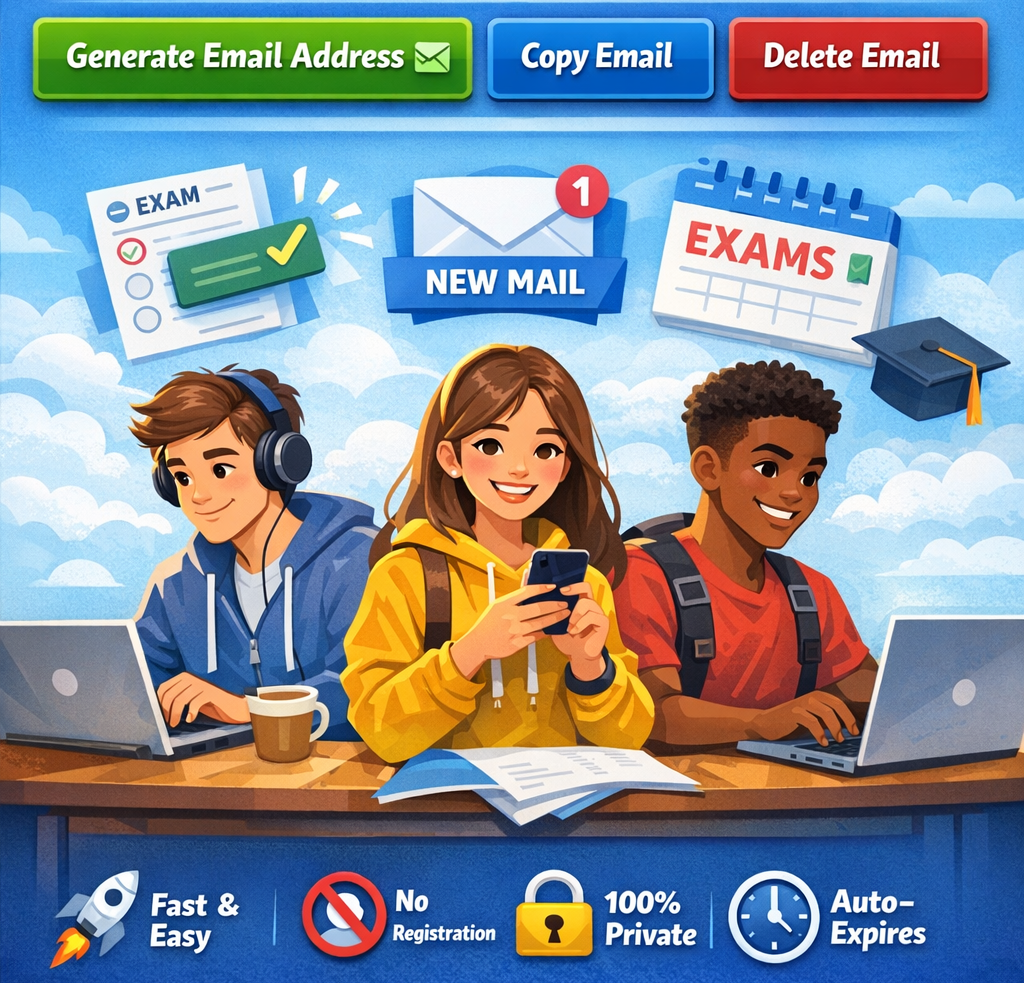
Intro: Students Need Quick Access Without Inbox Overload
Students sign up for countless online platforms every day. From educational tools and free trials to newsletters, webinars, and study resources, almost everything requires an email address. While this helps unlock useful content, it also creates a problem — inbox overload.
Over time, student inboxes become filled with promotional emails, unwanted newsletters, and spam messages. Important academic emails from teachers or universities can easily get buried under less important content. This makes it harder to stay organized and focused on studies.
There’s also the privacy concern. Many websites collect email addresses for marketing purposes. Students often don’t want their personal email shared, tracked, or exposed to data leaks.
This is where temporary email becomes a smart solution.
A temporary email allows students to create a short-term inbox instantly. It can be used for signups, downloads, or one-time access. Once the task is complete, the email expires automatically. This helps students avoid spam, protect privacy, and keep their main inbox clean.
Whether you're using a temp mail for study resources, a throwaway email for free trials, or a random email generator for quick signups, temporary email tools can simplify student life significantly.
What Is Temporary Email and How Students Can Use It
A temporary email is a disposable inbox that exists for a short period. It works like a regular email but does not require registration. Students can generate a temporary email instantly using a temporary email generator.
Once created, the inbox receives messages in real time. After a set period — such as 10 minutes mail — the inbox automatically deletes itself. This makes it ideal for short-term use.
Students can use temporary email in many ways:
Signing Up for Study Resources
Many websites offer free study guides, PDFs, or notes but require email registration. Instead of using a personal email, students can use a temp mail to access the content quickly.
Accessing Free Trials
Online learning platforms often offer trial access. A throwaway email allows students to try the service without long-term commitments.
Joining Webinars and Workshops
Students frequently attend webinars for skill development. Using a temporary email prevents follow-up marketing emails from cluttering their inbox.
Downloading eBooks and Notes
Educational sites sometimes require email verification. A disposable email makes it easy to download materials without sharing personal information.
Testing Student Projects
Students studying development or IT can use a random email generator to test signup systems and email verification workflows.
Avoiding Spam from Forums
Online student forums can generate many notifications. A burner email helps students participate without affecting their main inbox.
Submitting Surveys or Assignments
Some surveys require email validation. Temporary email allows students to complete them quickly.
Benefits of Temporary Email for Students
Temporary email provides several advantages that make student life easier and more organized.
Keeps Personal Inbox Clean
Students receive many academic emails. Using a disposable email for non-essential signups prevents clutter and keeps important messages visible.
Protects Student Privacy
Students should avoid sharing personal email addresses on unknown websites. A fake email generated through a temporary email generator helps maintain anonymity.
Reduces Spam
Using temp mail for downloads and trials prevents promotional emails from reaching the main inbox.
Saves Time
Students don't need to unsubscribe from newsletters. The throwaway email expires automatically.
Quick and Easy Access
Temporary email requires no signup. A free email generator creates an inbox instantly.
Ideal for Short-Term Use
Students often need email access only once. Temporary email is perfect for this.
Helps With Testing
Computer science students can generate random emails to test projects.
Prevents Data Tracking
Using a burner email reduces tracking from marketing platforms.
No Password Required
Temporary email services work without account creation, making them fast and convenient.
Works Across Devices
Students can access temporary email from laptops, tablets, or phones.
How to Use ThrowInbox Temporary Email as a Student
Using ThrowInbox is simple and requires only a few steps.
Step 1: Visit ThrowInbox
Open the ThrowInbox website. A temporary email address will be generated automatically.
Step 2: Copy the Temp Mail Address
You will see a random email generated instantly. Copy this address.
Step 3: Use It for Signup
Paste the temporary email into the signup form for:
- Study resources
- Free trials
- Webinars
- Downloads
Step 4: Receive Email Instantly
The message will appear in the temporary inbox in real time.
Step 5: Open the Email
Click the email to:
- Confirm signup
- Verify account
- Access download link
Step 6: Let It Expire
After some time, the temporary inbox deletes automatically. No cleanup required.
This process makes ThrowInbox a fast and reliable temporary email generator for students.
Tips for Students Using Temporary Email
Here are some best practices for students:
Use Temporary Email for Non-Essential Signups
Use disposable email for:
- Downloads
- Free trials
- Study resources
- Forums
Avoid using it for:
- University accounts
- Banking
- Important communications
Keep Your Main Email for Academic Work
Always use your personal email for:
- Assignments
- Teacher communication
- Exam notifications
Refresh for New Email
Need another inbox? Refresh to generate a new random email.
Use for Group Project Testing
Students working on apps can use multiple temporary emails for testing.
Avoid Long-Term Accounts
Temporary emails expire, so don’t use them for long-term services.
Check Inbox Quickly
Some services like 10 minutes mail expire fast. Read emails immediately.
Use Multiple Emails for Research
Students signing up for multiple resources can generate several throwaway email addresses.
Stay Organized
Use temporary email to separate academic and non-academic signups.
Start Using ThrowInbox Today
Students need fast, safe, and clutter-free access to online resources. Temporary email provides exactly that.
ThrowInbox helps students:
- Generate temp mail instantly
- Create throwaway email for signups
- Use random email generator for testing
- Avoid spam emails
- Protect privacy
- Access study resources quickly
Stop filling your personal inbox with unwanted emails. Stay organized and focused on your studies.
Use ThrowInbox today and generate your temporary email instantly.
اکثر پوچھے گئے سوالات
تحفظ، OTP، میعاد، بازیافت اور قانونی حیثیت کے بارے میں سیدھے جواب۔
What is temporary email?
Temporary email is a short-term email address that automatically deletes after a certain period.
Why should students use temp mail?
Students can avoid spam and protect their personal inbox.
Is temporary email safe for students?
Yes, it helps protect privacy and reduces unwanted emails.
Can students use disposable email for downloads?
Yes, it’s ideal for accessing study resources.
How long does temporary email last?
Some services provide 10 minutes mail, while others last longer.
Can I create multiple temporary emails?
Yes, you can generate multiple random emails.
Is temporary email free?
Most services offer a free email generator.
Can students use temporary email for free trials?
Yes, throwaway email is perfect for trial access.
Does temporary email require signup?
No, temporary email works instantly.
Can I send emails using temp mail?
Most services focus on receiving emails only.